Fansly Bulk Downloader — Whole Creator Profile
Save many files from a creator profile at once
Last verified 22 August 2026
Bulk download is how you back up a whole creator profile instead of opening posts one by one. It is part of the Fansly Downloader Chrome extension and is included in the 3-month plan. The monthly plan still saves individual photos and videos. It does not include this profile-wide picker.
You still only get media your account can already view on that profile. Bulk download is not a way to pull locked posts or someone else’s subscription. If a tile is content you have not paid for, skip it or unlock it on Fansly first.
This is also not the GitHub “run a script against a username” workflow. You stay in Chrome, open the creator page, and use the Bulk download button. Folder names and quality method are chosen in that UI.
When to use bulk instead of one post
Use a single-post download when you only need one video or one photo set — see videos and photos. Use bulk when you want most or all of a profile you can access, with folders so the backup is usable later. Messages are not a profile grid; save DMs from the conversation, not from this screen.
How to bulk download a profile
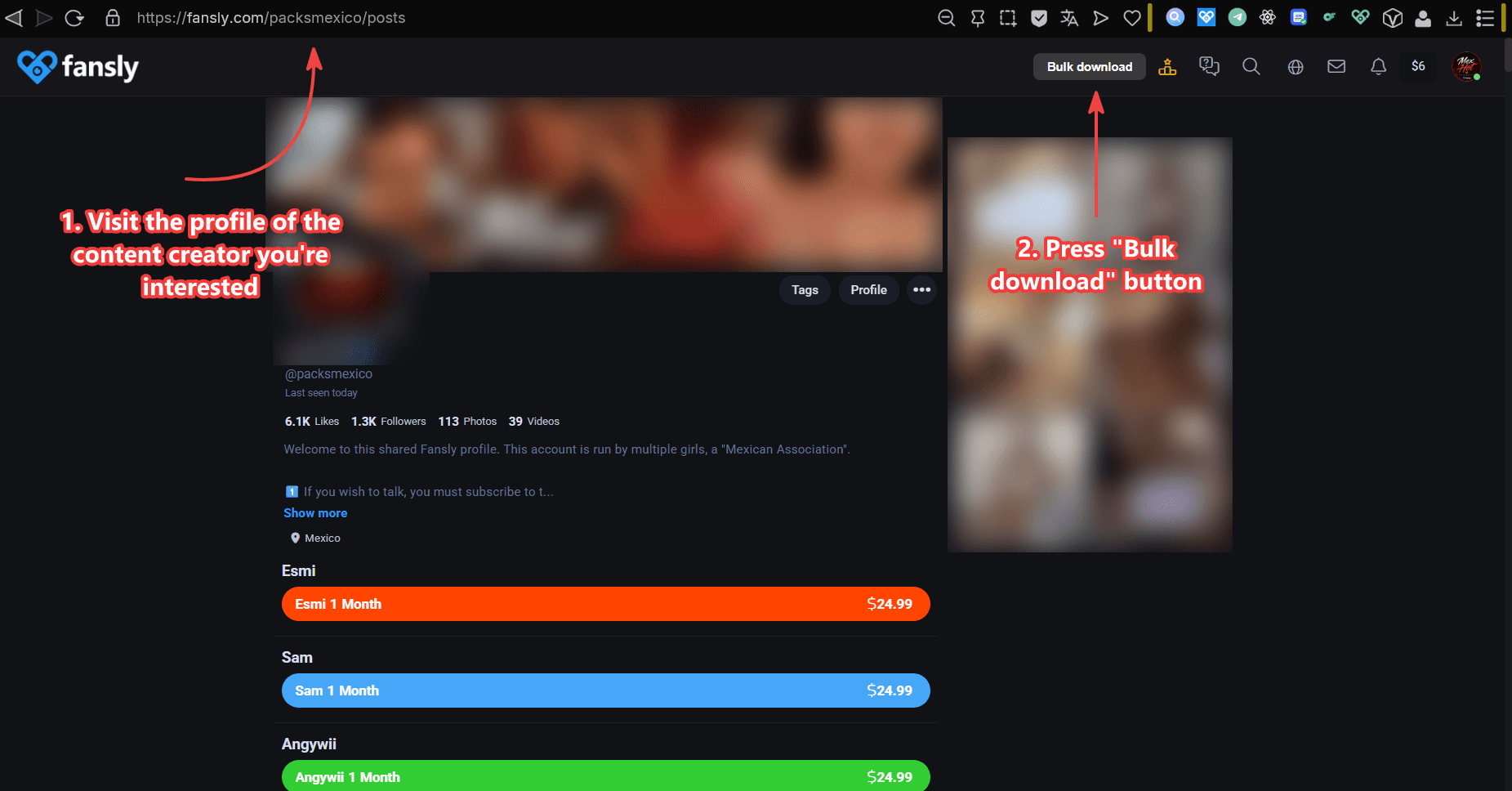
- Open the profile of the creator you want to back up. You will see a Bulk download button at the top right. If it is missing, confirm the extension is enabled and that your license includes bulk (3-month plan).
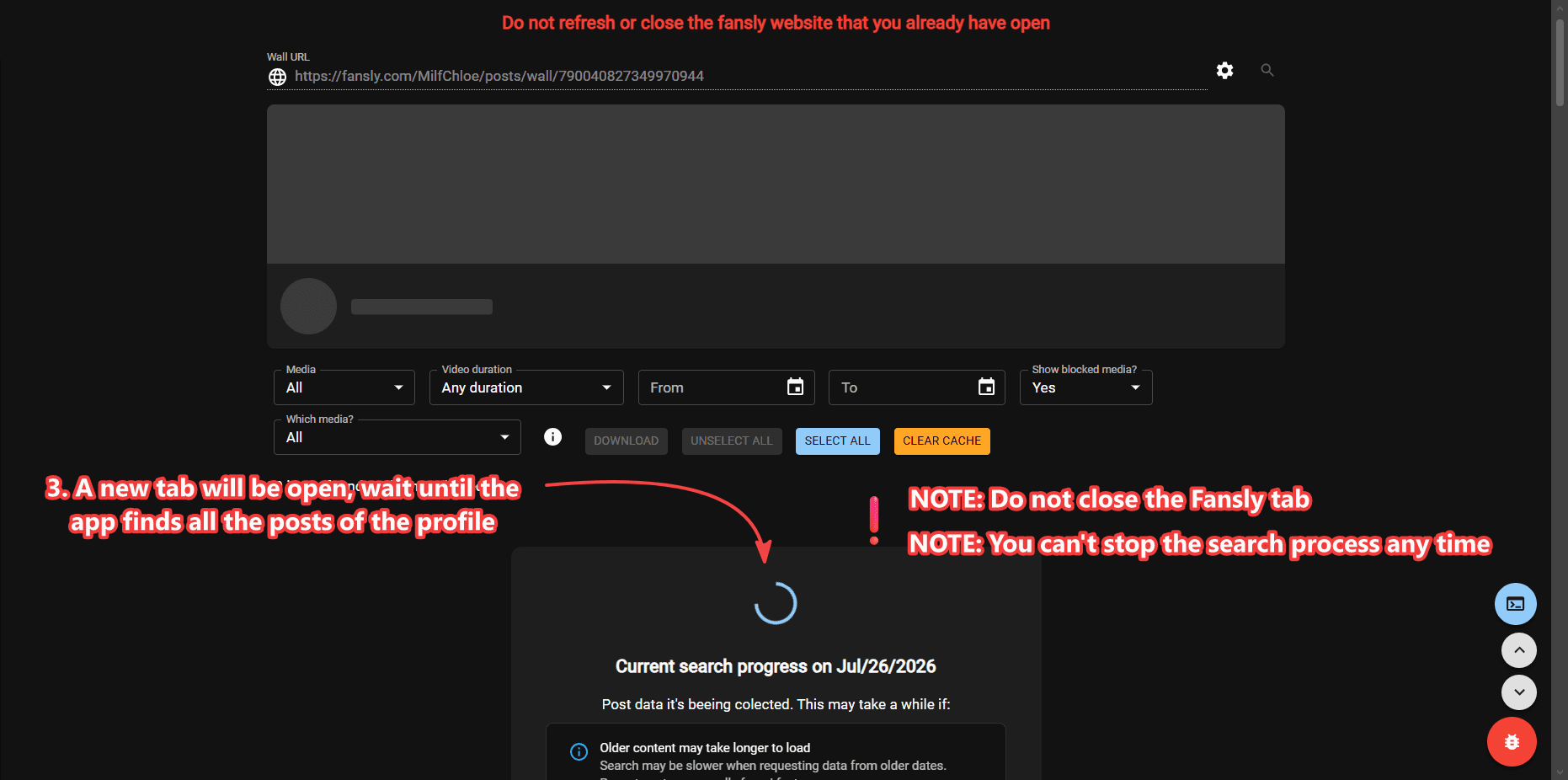
- A new tab will open. Wait until the app finds the posts on that profile. Closing the tab early leaves an empty job.
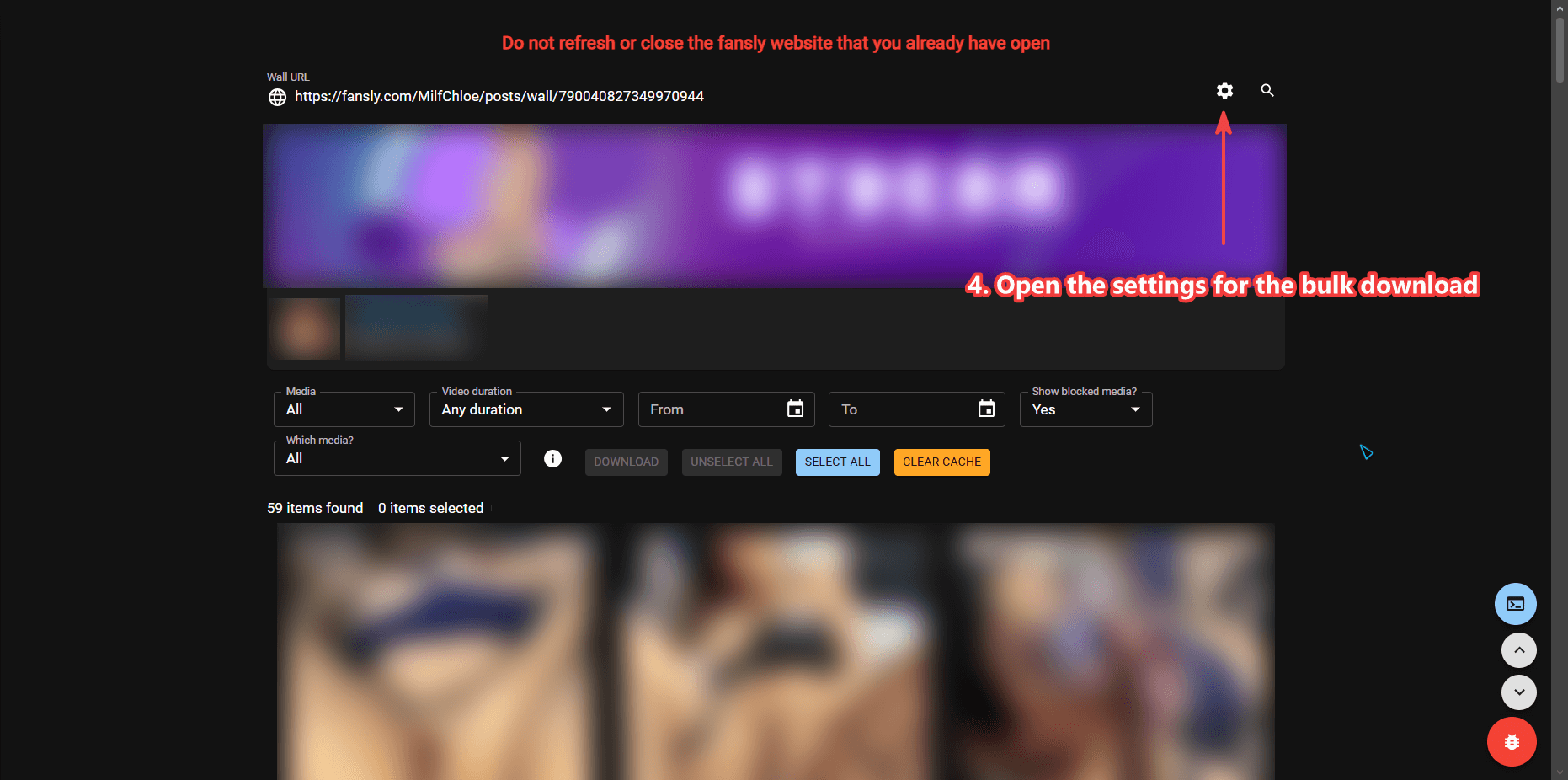
- Optional: open the settings for the bulk download if you care about folder layout or the method used to fetch files.
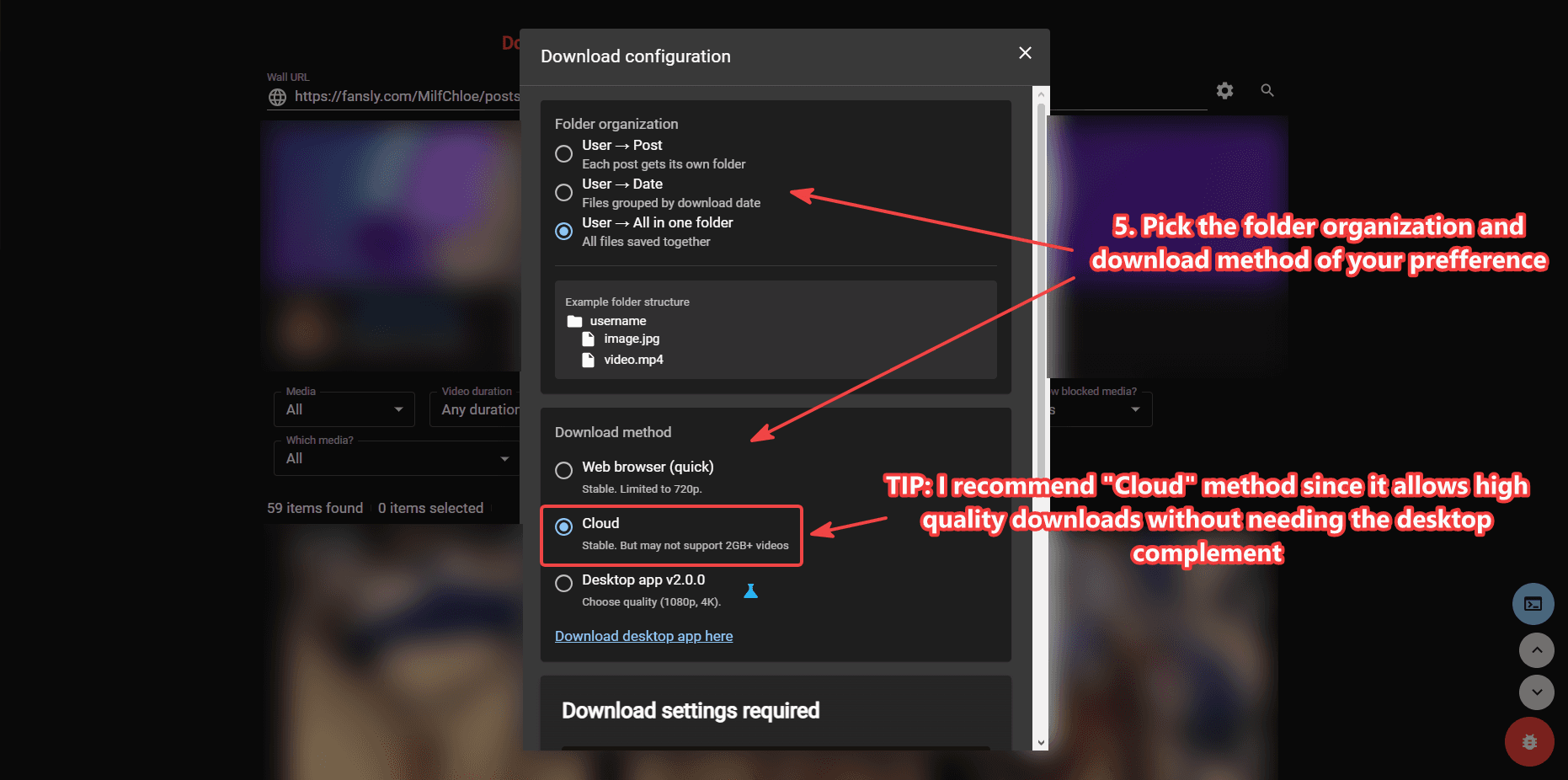
- Optional: choose folder organization and a download method. Cloud is a stable option that works across operating systems. The desktop app lets you choose 1080p or 4K. The in-browser method is quicker but limited to 720p. For 4K quality rules, see Download Videos in 4K.
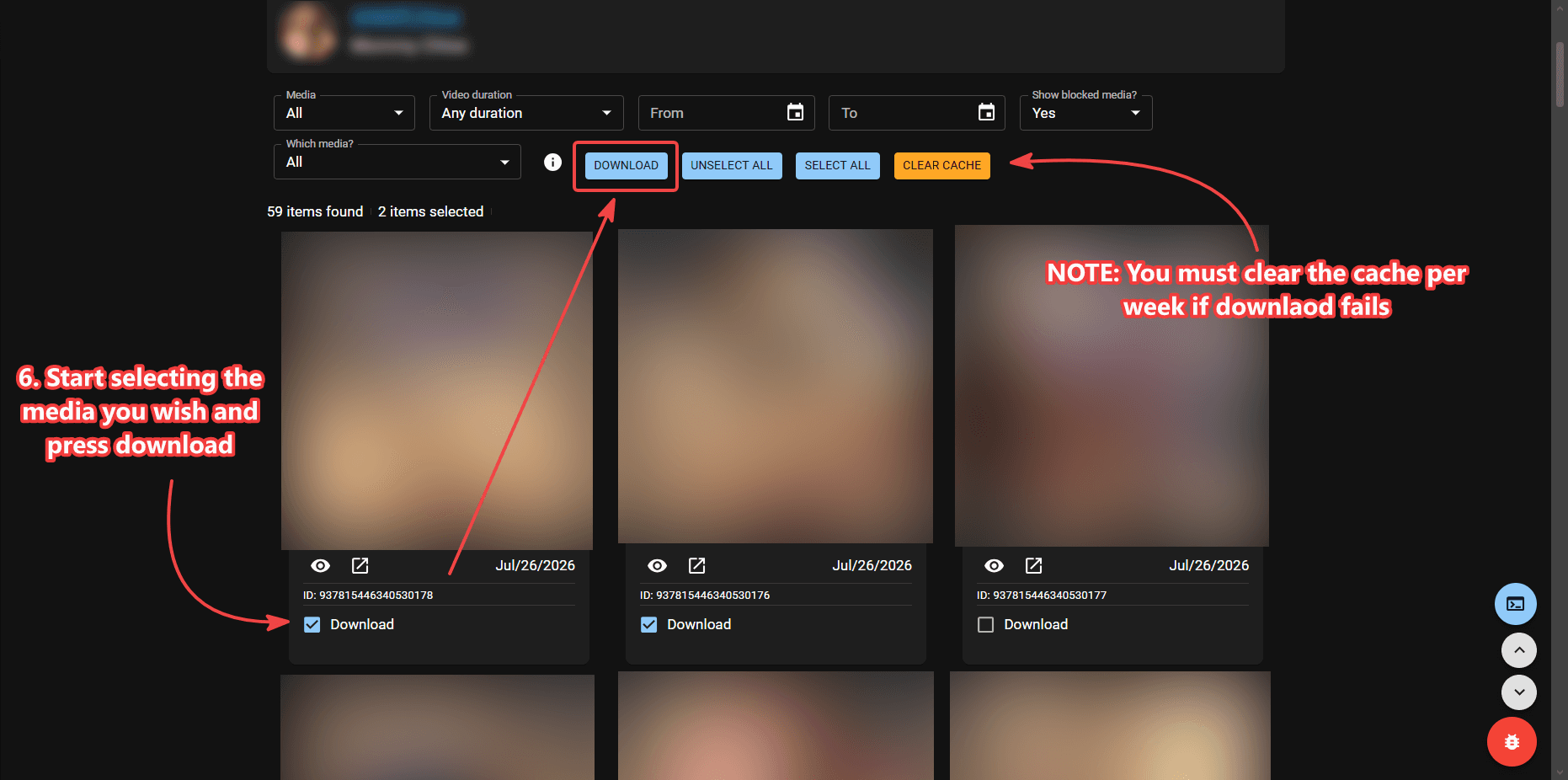
- Select the media you want and press Download. You do not have to take every file. Deselect posts you do not need so the job stays smaller.
Cloud, browser, and desktop
Cloud is the default recommendation if you are unsure: it is the least likely to die on a long profile and it works on more than Windows. The in-browser method keeps everything inside Chrome and finishes faster on small jobs, but it stops at 720p. The desktop companion is for people on Windows who want 1080p or 4K on large files without melting a tab.
Folder organization is worth setting before a large run. A flat Downloads dump of three hundred files is harder to browse later than folders grouped the way the settings screen allows.
License and support
If Bulk download is visible but the job will not start, check that the license is still active in extension options. Look up a missing code on the license page. Install help is How to Install Fansly Downloader on Chrome.
How long a whole-profile job takes
Time depends on how many posts you select, whether those posts are photos or long videos, and which method you picked. A few dozen stills on Cloud can finish while you stay on the tab. A hundred 4K videos on the desktop method can run much longer. Leave the bulk tab open until the UI says it is done. Sleep mode on a laptop can pause Chrome and look like a freeze.
You can run a first pass with only photos selected if you want a quick library, then a second pass for videos at 1080p or 4K. Nothing forces one giant job. Deselecting media you already saved last month keeps the new run smaller.
Bulk download does not replace message backup. A creator can send exclusive files only in DMs. After the profile job, open messages and use the video or photo steps for those. The two backups together are closer to “everything I can actually view.”
If you compared this to a GitHub bulk flag, the difference is the UI: you see thumbnails and pick files instead of editing a config. The access rule is the same. A script that claims to ignore paywalls is not something this site documents or supports.