How to Download Fansly Videos (Posts & Messages)
Save videos from posts or direct messages
Last verified 22 August 2026
This guide is for the Fansly Downloader Chrome extension. It covers two places videos actually live: a public or purchased post on the feed, and a file someone sent in messages. You stay on Fansly in Chrome. You do not paste a video URL into programmer51.com, and you do not run a Python CLI.
You can only save a video your account can already play. If Fansly shows a paywall, subscribe or purchase first. The extension is a backup, not an unlocker.
Posts versus messages
On a post, you can play the video and pick a quality, or use Download media to take every photo and video attached to that post in one pass. In messages, open the conversation, play the video, and use the same quality panel. The save is still a file on your disk, usually the Chrome Downloads folder unless you changed that in Chrome settings.
Bulk profile download is a third path. It is for many posts on a creator page, not for a single DM. That workflow is Fansly Bulk Downloader — Whole Creator Profile.
Save one video
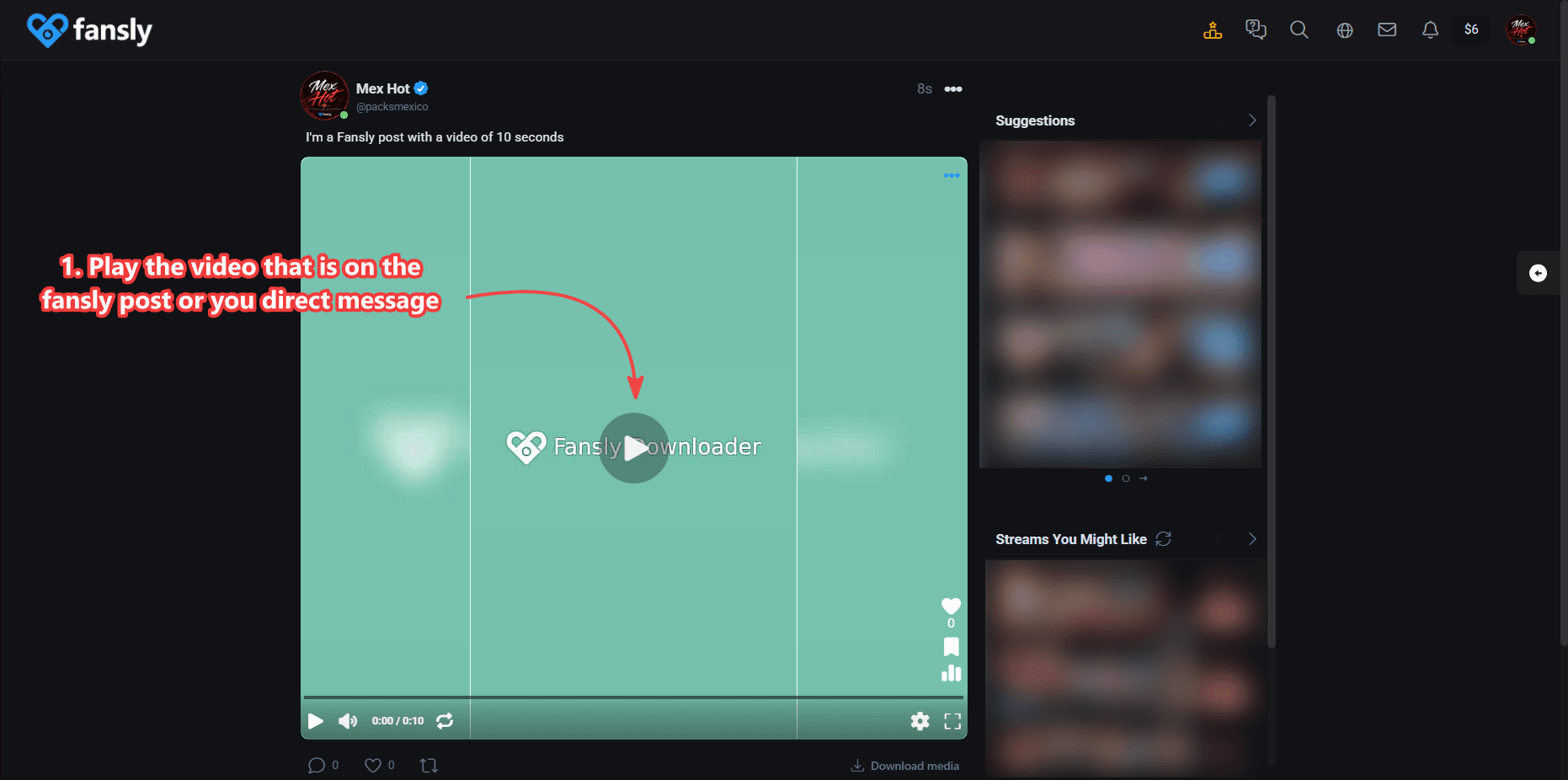
- Play the video from a Fansly post or a direct message. The player must actually start. A thumbnail is not enough for the quality list to appear.
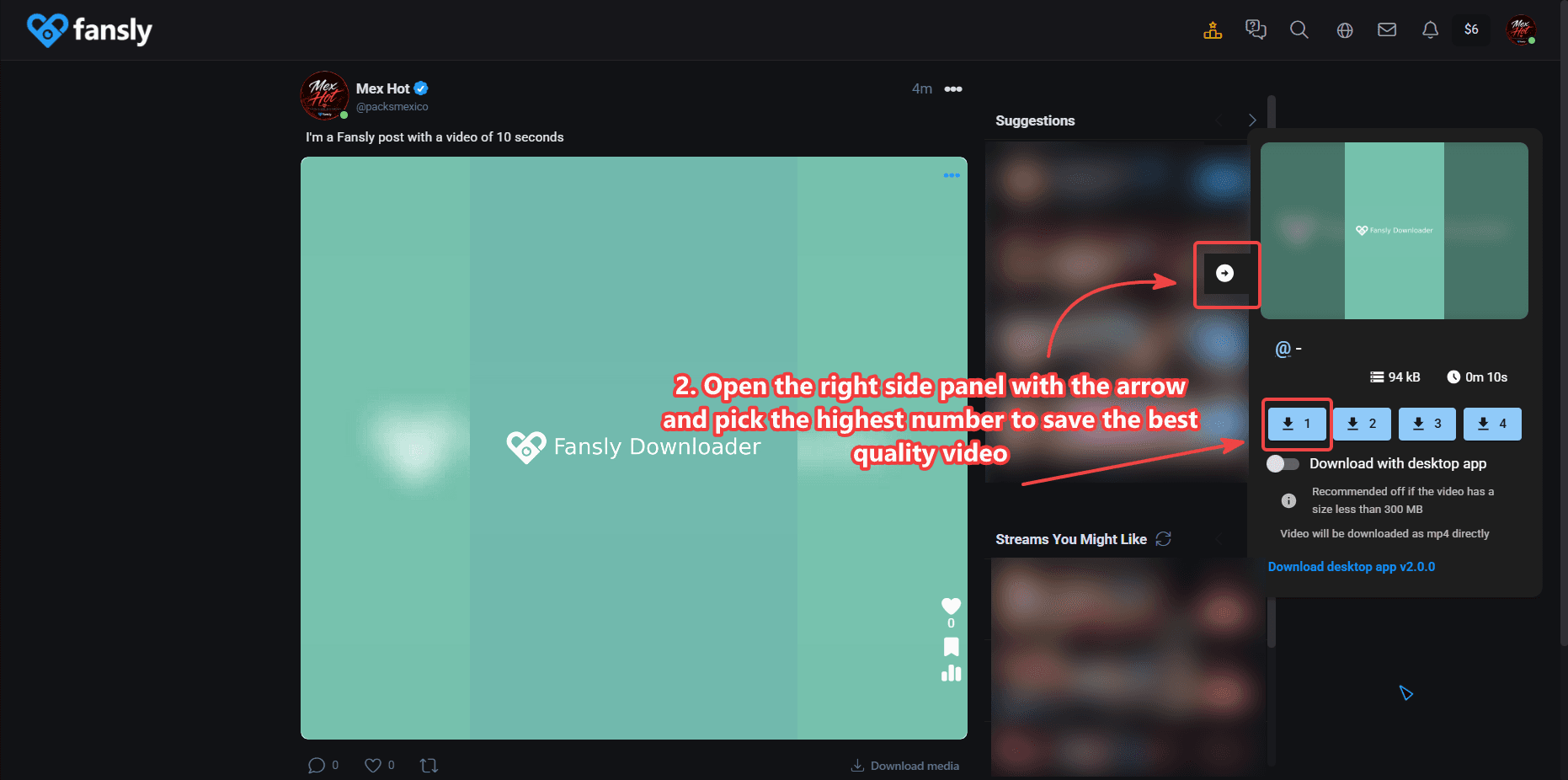
- Open the right-side panel with the arrow and pick the highest number to save the best quality. That list is the renditions Fansly already prepared for your session. If 4K is missing, the upload is not 4K. See how to download videos in 4K when the top option is listed.
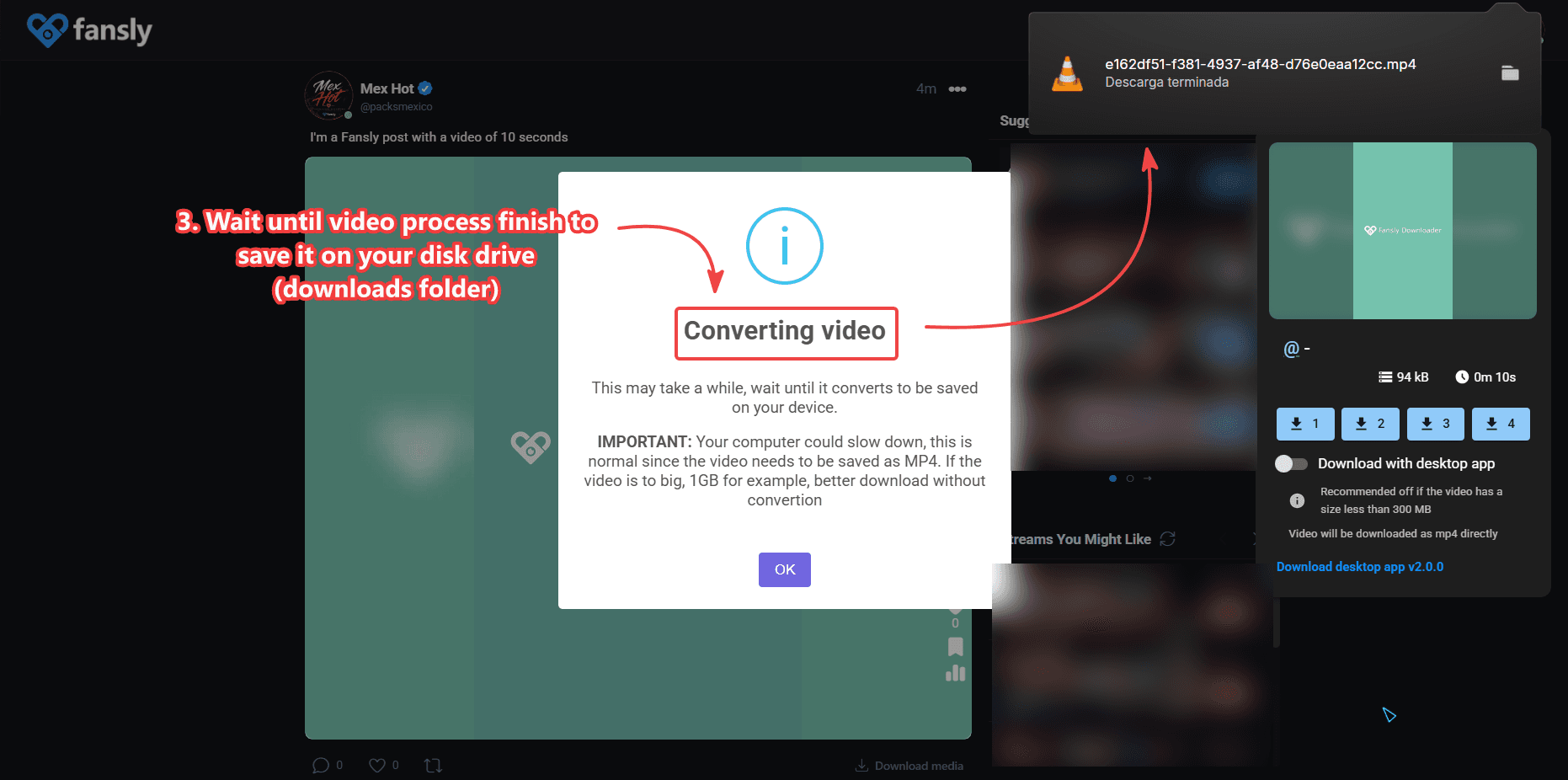
- Wait until processing finishes, then save the file to your disk (usually the Downloads folder). Leaving the tab mid-process can cancel the job. Very large files are safer with the Windows companion described on the 4K page.
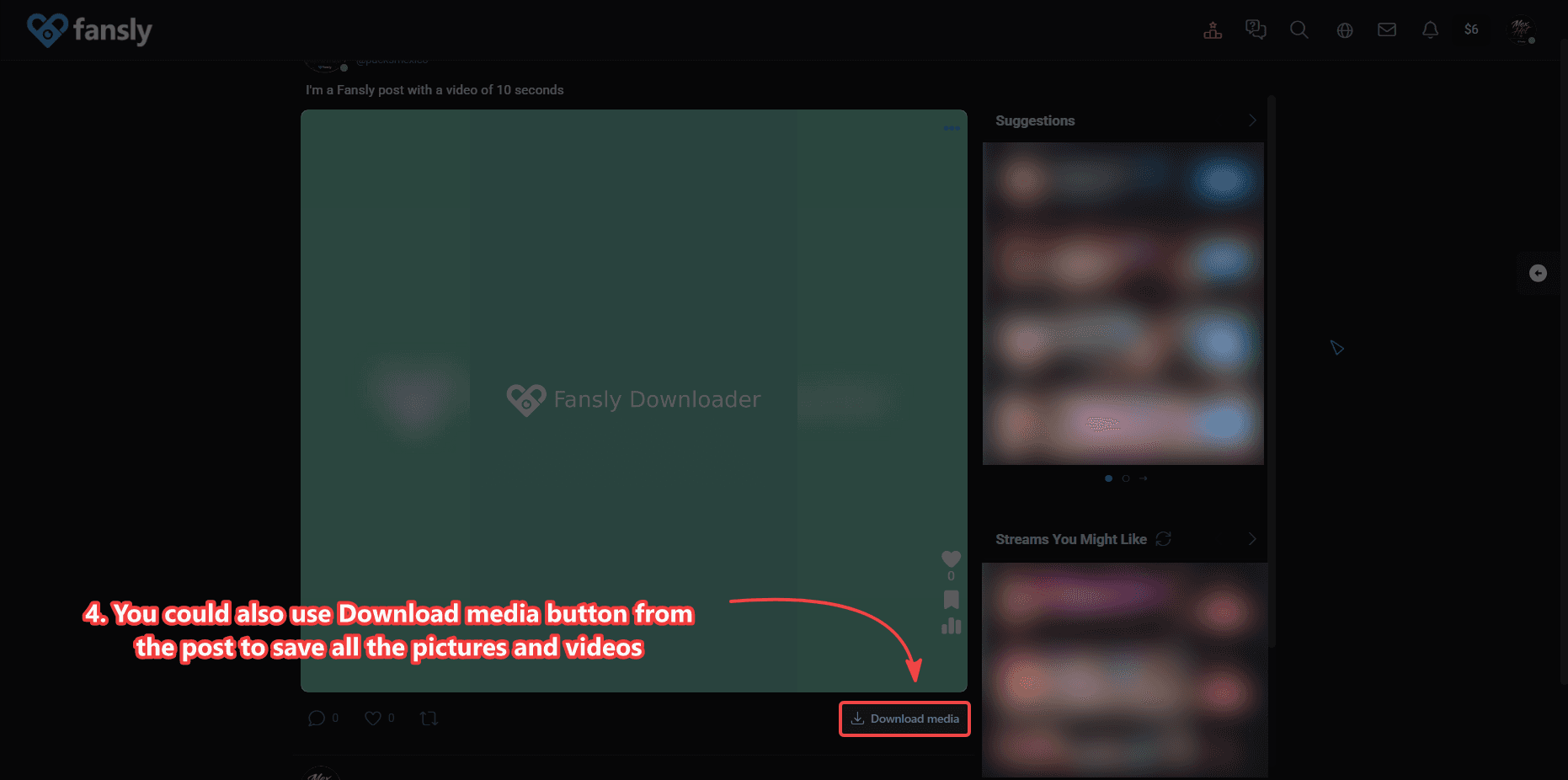
- On a post you can also use Download media to save all photos and videos attached to that post. For photos only, see How to Download Fansly Photos.
Quality, 4K, and file size
Higher numbers mean more pixels and larger files. Pick the top option when you want the best backup. Pick a lower option when you only need a small copy for a phone. 4K is available only when that rendition exists for the video you can view. The extension does not upscale a 720p upload.
If Chrome freezes or the tab crashes on a long 4K file, that is a memory limit in the browser, not a missing license. Use the desktop companion on Windows or try Cloud in bulk settings for profile jobs.
What this guide does not cover
It does not cover installing the extension — that is How to Install Fansly Downloader on Chrome. It does not cover pulling every post on a profile — that is bulk download. It does not cover saving stills; use the photos guide. And it does not cover downloading a video you cannot play while signed in.
If you arrived from a search for “fansly video downloader online,” remember the “online” part is Chrome itself. The file still saves locally. There is no anonymous web form on this domain that accepts a Fansly link.
Messages: what “open the video” means
In a DM thread, scroll to the video so Fansly’s player is the one on screen. Preview chips in the inbox list are not enough. Once playback starts, the same side panel used on the feed should appear. If it does not, reload the conversation tab after confirming the extension is enabled. Group chats and one-to-one messages use the same save path as long as you can play the file.
Some people only receive media in messages and never look at the creator profile. You do not need bulk download for that. Play, pick quality, save. If the same creator also has a long public or subscribed timeline you want as a library, switch to the profile and use bulk for that half of the backup.
Processing, Downloads folder, and names
Chrome names files with whatever the extension received for that rendition. You can rename them after. Do not unplug a laptop mid-save on a 4K job. If the progress bar sits at 99% for a long time, wait; large files mux after the bytes arrive. A second download of the same video creates another file rather than overwriting, unless you changed Chrome’s “ask where to save” setting.
Download media on a post is for the attachments on that post only. It will not walk the profile or the rest of the chat. Use it when a post has three photos and one video and you want the set. Use the quality panel when you care about the exact video rendition, especially 4K.
Still seeing GitHub results for “fansly video download”? Those pages describe a different install. This guide is only the Chrome extension on programmer51. Comparison table: Chrome extension vs GitHub CLI.