How to Install Fansly Downloader on Chrome
Add the Chrome extension from the Chrome Web Store
Last verified 22 August 2026
Fansly Downloader is a Chrome extension. You install it from the Chrome Web Store the same way you add any other extension. You do not download a Python package, clone a GitHub repo, or paste a Fansly URL into this website. After install, you open Fansly in Chrome, stay signed in, and save media you can already view.
Use Google Chrome on a computer. Mobile Chrome does not load this kind of extension the same way, so the store button and the side panel are meant for desktop Chrome. If you found a GitHub project also named “Fansly Downloader,” that is a different tool. This guide is only for the programmer51 listing in the Chrome Web Store.
Before you start
- A Google account, so the store can add the extension to Chrome.
- Permission to install extensions on this computer (some work laptops block the store).
- A Fansly account you can sign in with. The extension does not replace that login and does not ask for your Fansly password.
Install from the Chrome Web Store
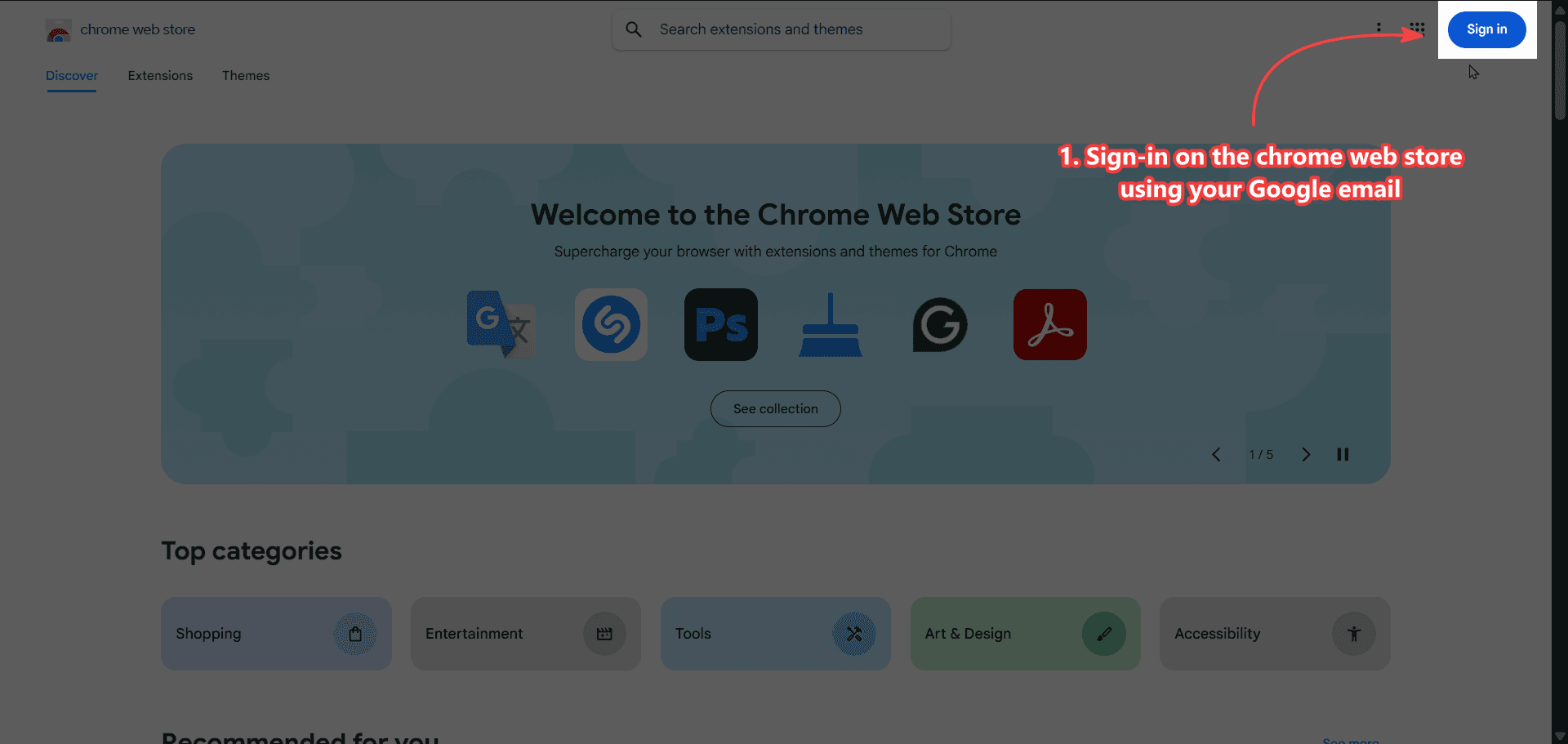
- Sign in to the Chrome Web Store with your Google account. If you skip this, Chrome may refuse the install or add the extension to a different profile than the one you use for Fansly.
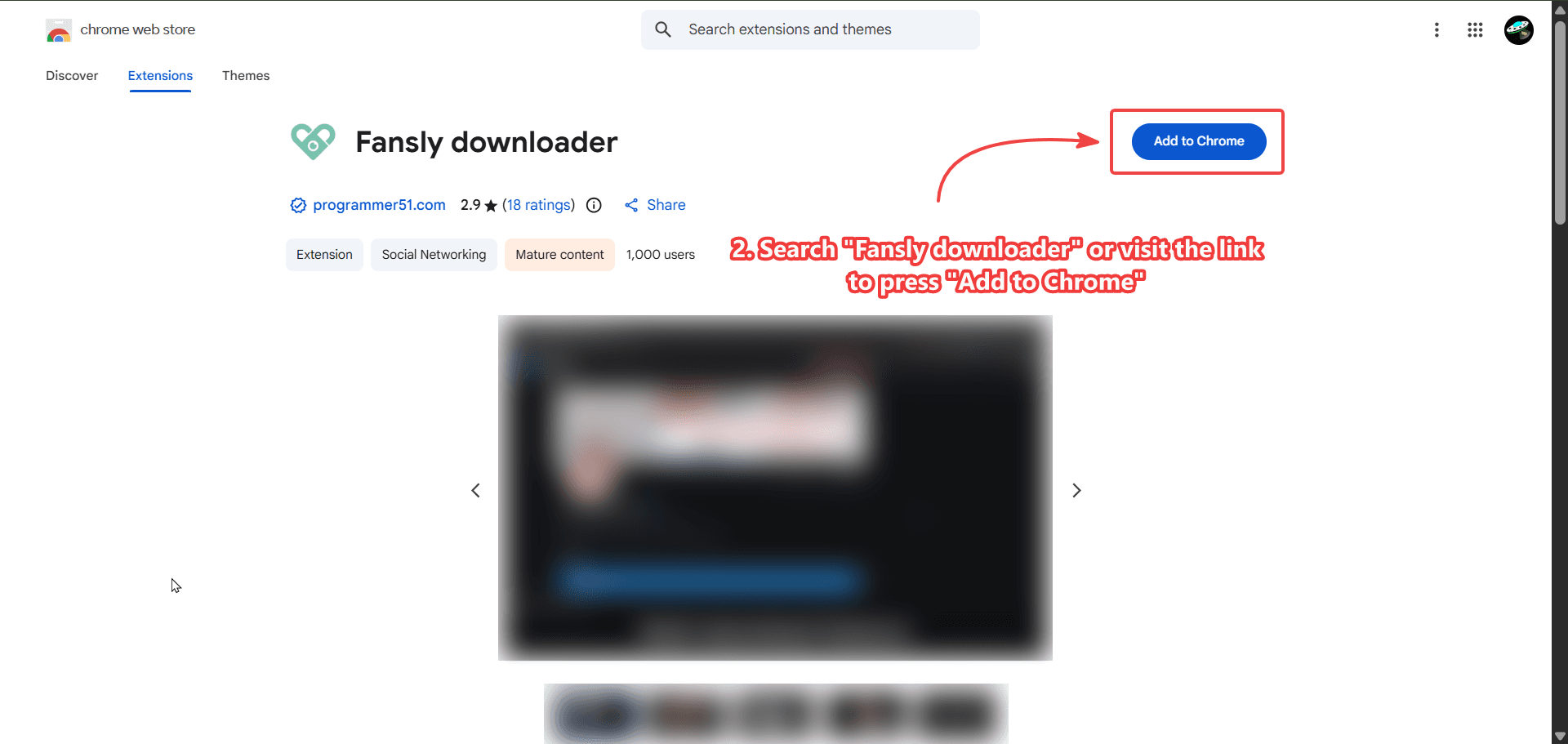
- Search for Fansly Downloader or open the listing and press Add to Chrome. Check that the publisher and the store URL match this site so you do not install an unrelated extension with a similar name.
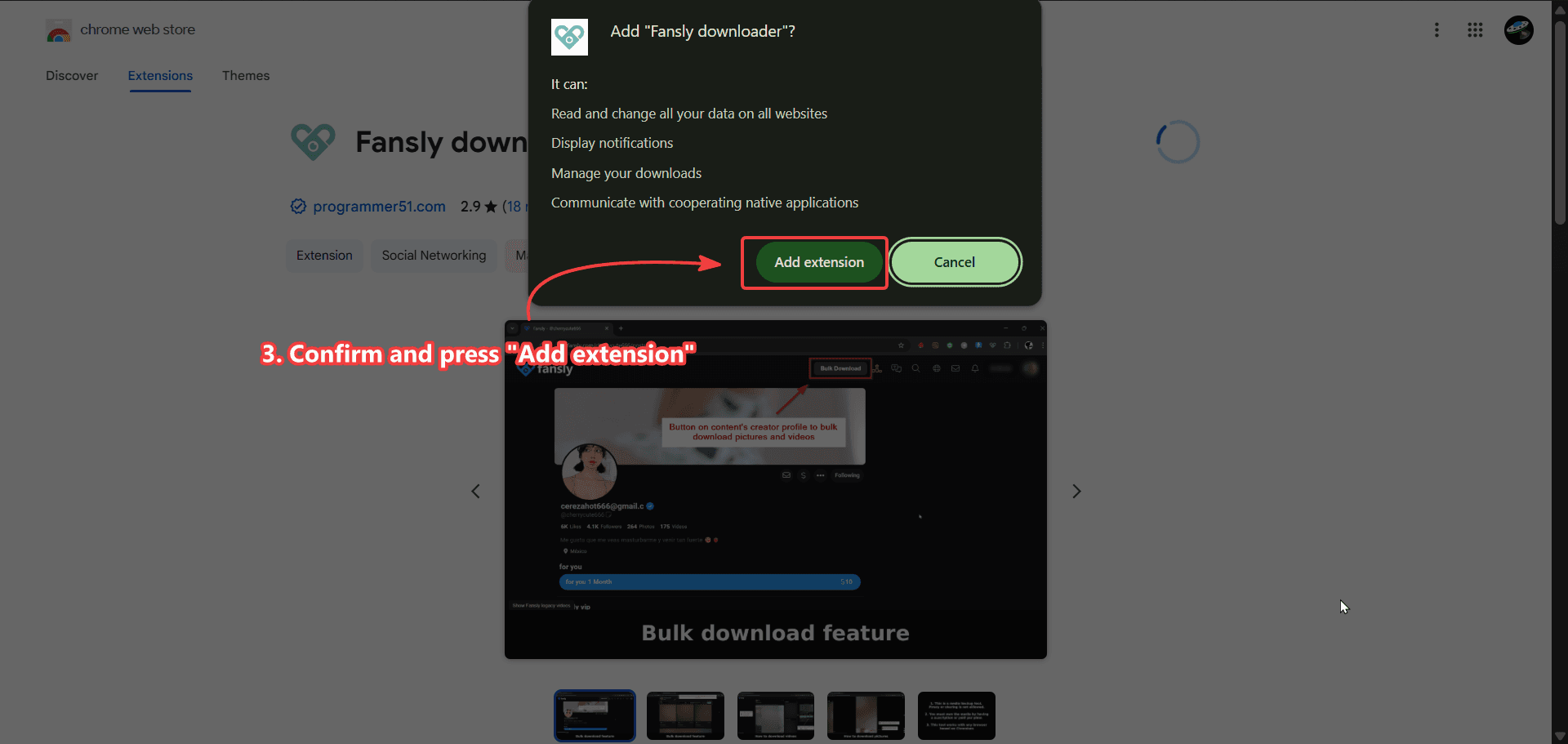
- Confirm and press Add extension. Chrome shows the permissions dialog. That is the store’s normal prompt, not a Fansly password form.
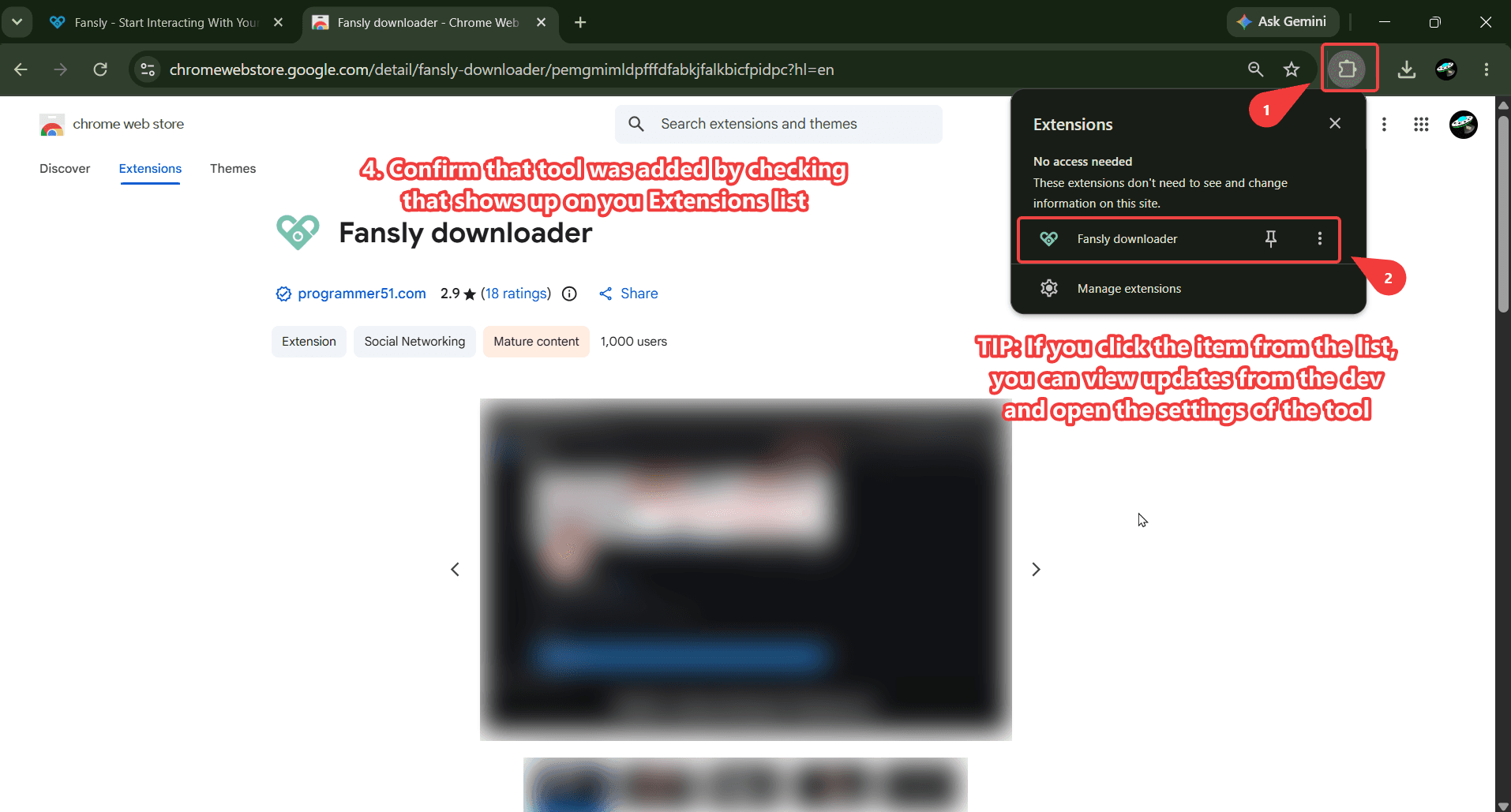
- Open chrome://extensions (or Menu → Extensions → Manage extensions) and confirm Fansly Downloader is listed and enabled. Pin it if you want the icon on the toolbar.
After it is installed
Go to Fansly in the same Chrome profile and sign in. Play a video or open a photo you can already see. The download controls appear on that page. If nothing shows up, reload the tab after the install, and make sure the extension is enabled for that profile.
A license is a separate step. The store install puts the extension on your browser. A Ko-fi plan unlocks paid features such as bulk download on the 3-month plan. Paste the code in extension options — How to Activate Your License. If the email never arrived, use the license lookup.
Common install problems
“Add to Chrome” greyed out usually means you are not signed into the store, or the browser is not Chrome (Edge and Brave can sometimes load Chrome extensions, but this product is tested on Chrome). If the extension appears then vanishes, another profile is open, or a work policy removed it. If Fansly looks the same as before, the extension is installed but the tab was already open — refresh after adding it.
This is not an “online downloader” you use without Chrome. Closing the programmer51 tab does not remove the extension. Removing it is done from the Extensions list, the same as any other Chrome add-on.
Next: download videos from posts and messages, download photos, or read the FAQ if you only needed to confirm it is a Chrome extension.
Chrome profiles and more than one Google account
Chrome can keep two profiles open. The store install lands on the profile you were signed into when you pressed Add to Chrome. Fansly must be opened in that same profile or the buttons will not show. If you use a “work” profile that blocks extensions, switch to a personal profile and install again. Syncing Chrome does not always copy every extension to a new PC; if a second computer is missing the icon, open the listing and add it there, then paste the same license.
Incognito hides extensions unless you allow this one in the Extensions page. Guest mode will not keep the install. You do not need to sideload a zip or enable Developer mode. If a YouTube video told you to load an unpacked folder, that is a different, unofficial path and not what this site supports.
After a Chrome update, check chrome://extensions once. A broken extension tile is rare; if it happens, Remove and add the store listing again. Your license code stays valid. Folder settings in bulk download live with the extension data, so a full remove can reset those preferences.
Still stuck? The Fansly Downloader FAQ — 4K, Chrome, License covers “is this online?” and “do I need Python?”. A person answers from the About page. Do not send your Fansly password. The extension never needs it.