What is Fansly Downloader?
It is a Chrome browser extension for downloading and backing up Fansly videos and photos you already have access to through your account. See Fansly Downloader.
Chrome extension to back up Fansly videos and photos you already can view
THE ULTIMATE BROWSER EXTENSION v1.19.0_
Last verified 22 August 2026 · Chrome Web Store · no Python
[ < Download here> ]Fansly Downloader is a Chrome extension, not a paste-a-link website and not a Python script. You add it from the Chrome Web Store, open Fansly in Chrome while you are signed in, and save videos or photos that your account can already open. Files land on your computer so you keep a local backup if a post disappears later.
People often search for a “Fansly downloader online.” That usually means they want something that works in the browser without installing GitHub tooling. This product does run in Chrome, but you do not paste a creator URL into programmer51.com. The download happens on the Fansly page you are viewing: a feed post, a message, or a creator profile during bulk download.
You can save one file, every photo and video on a post, or run bulk downloads across a profile (3-month plan). Quality includes 4K when the source file offers it. There is no need to clone a repository or install Python. Last verified 22 August 2026 against Chrome Web Store v1.19.0. If a screenshot on this page does not match your build, reload the listing — store updates can land a few days after this check.
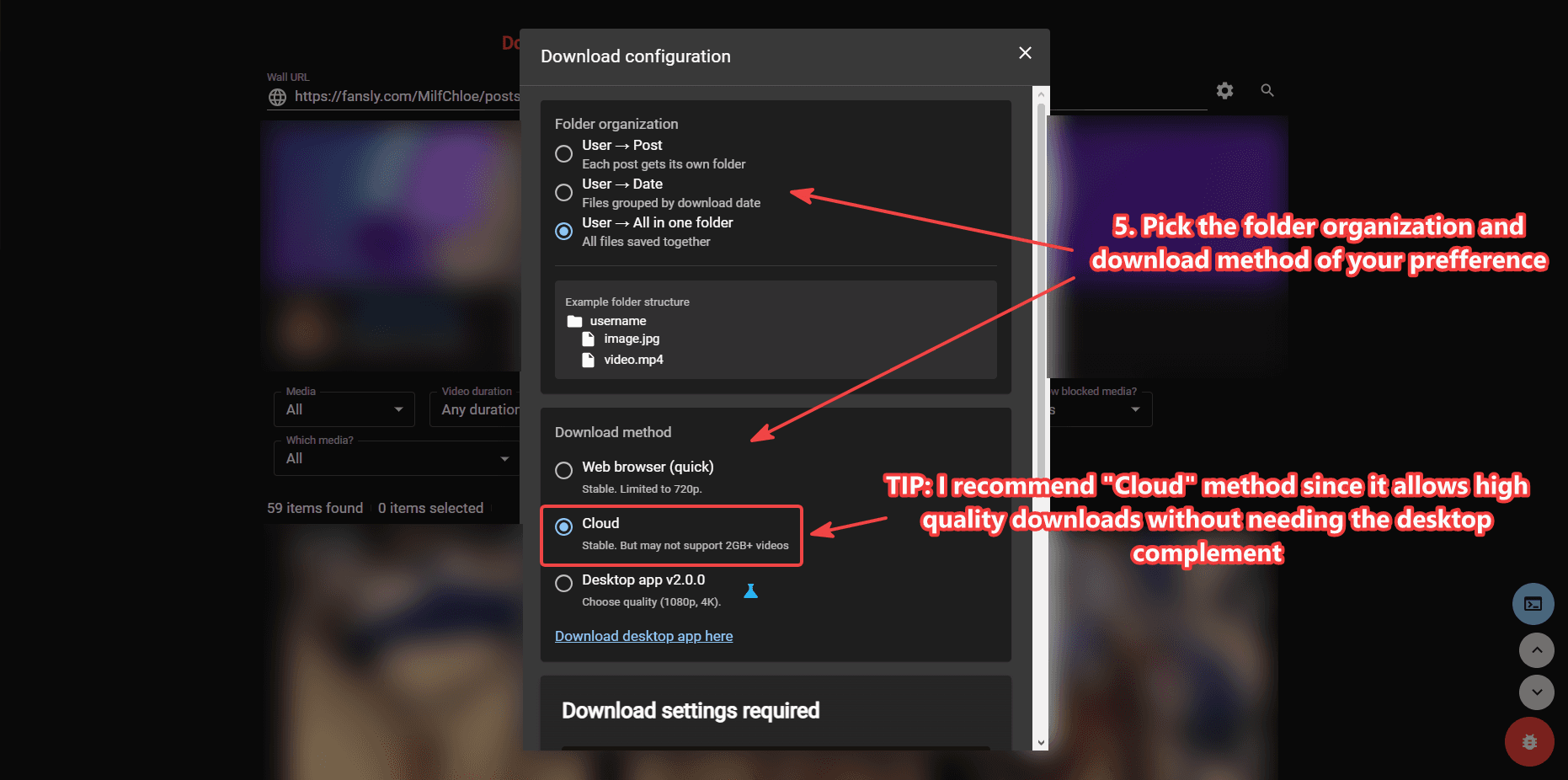
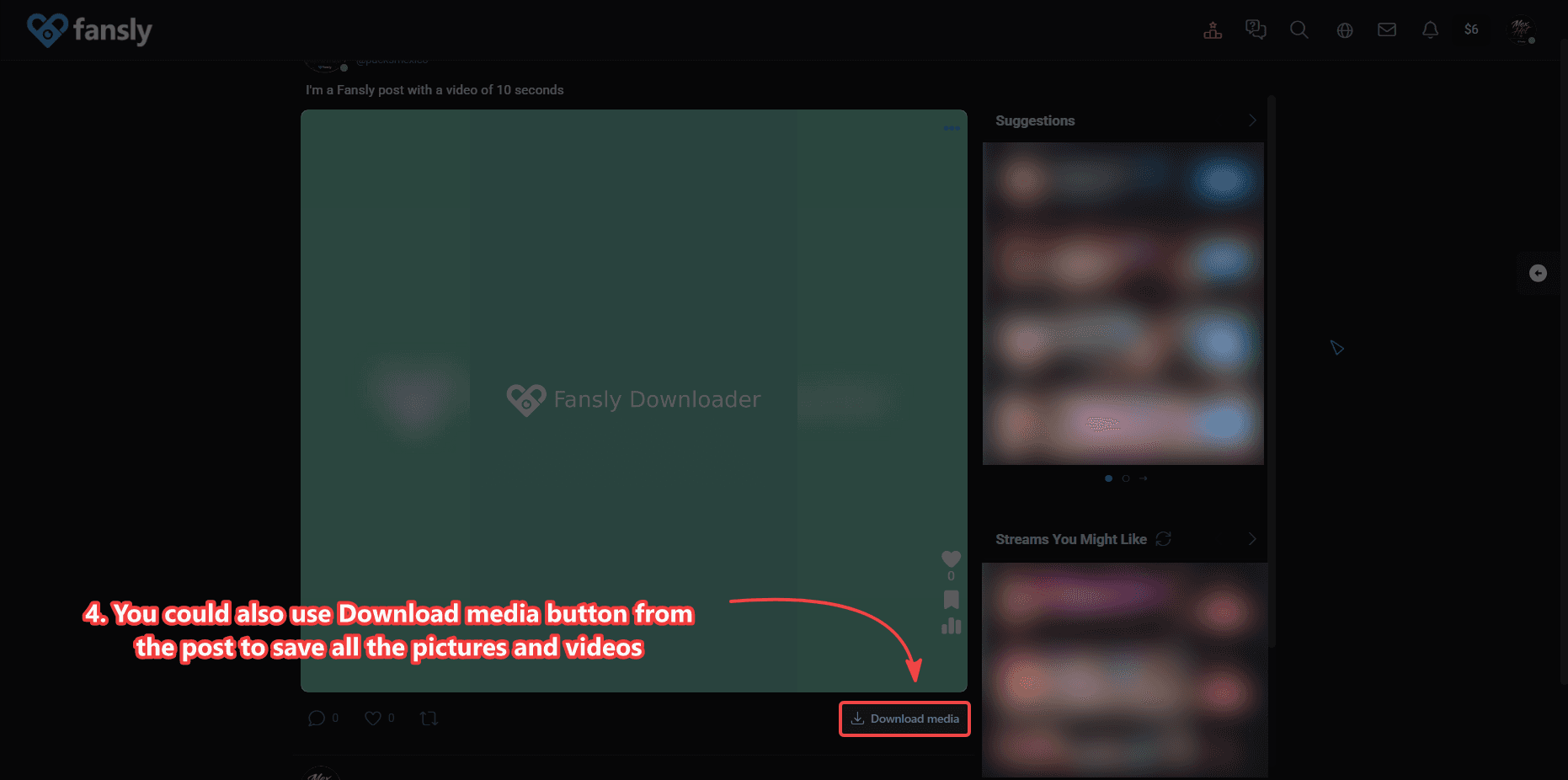
These are the real controls: the side panel on a playing video, the 4K quality list, bulk download on a profile, a photo in messages, and folder settings. Click a shot to enlarge it.
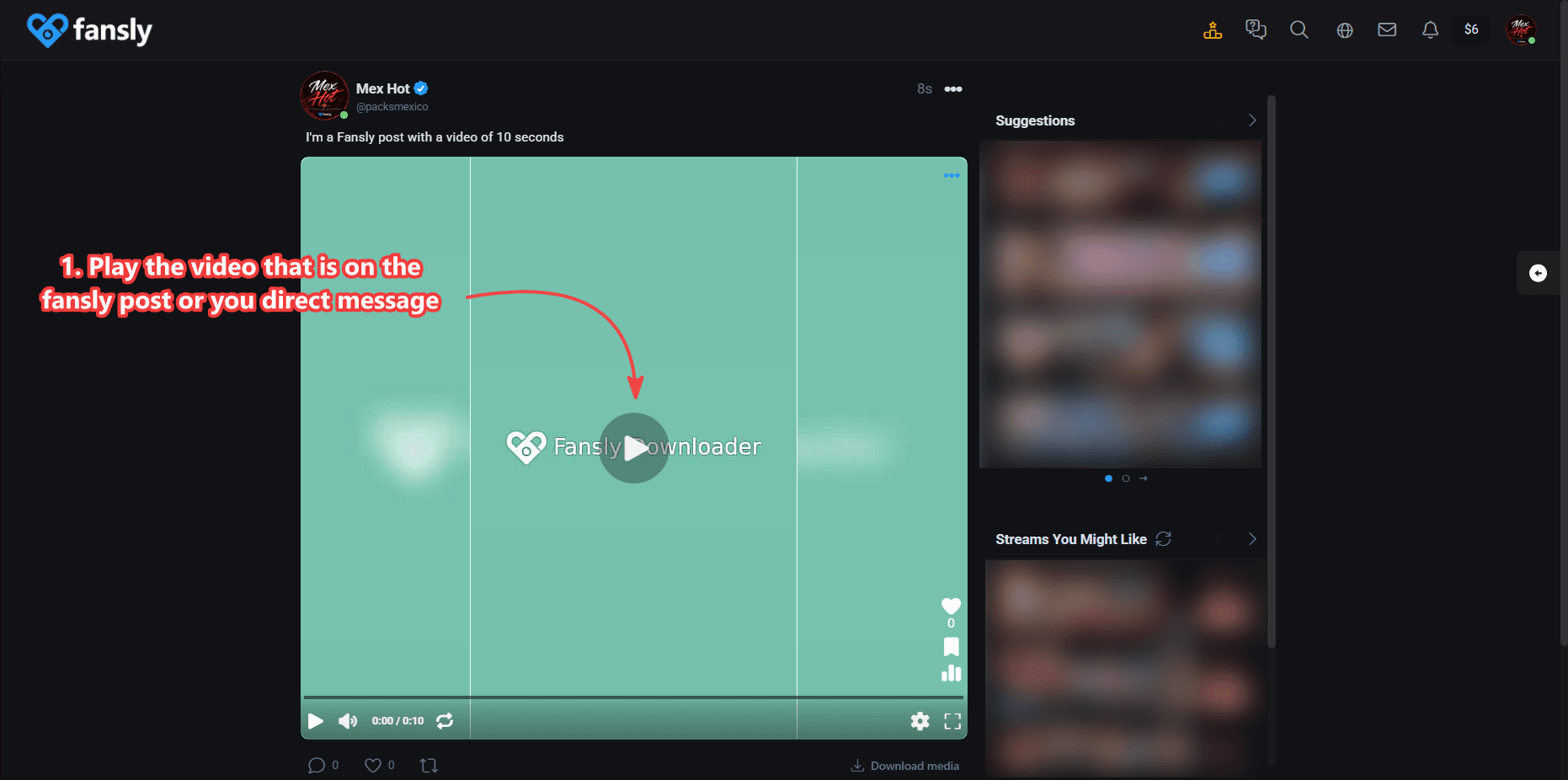
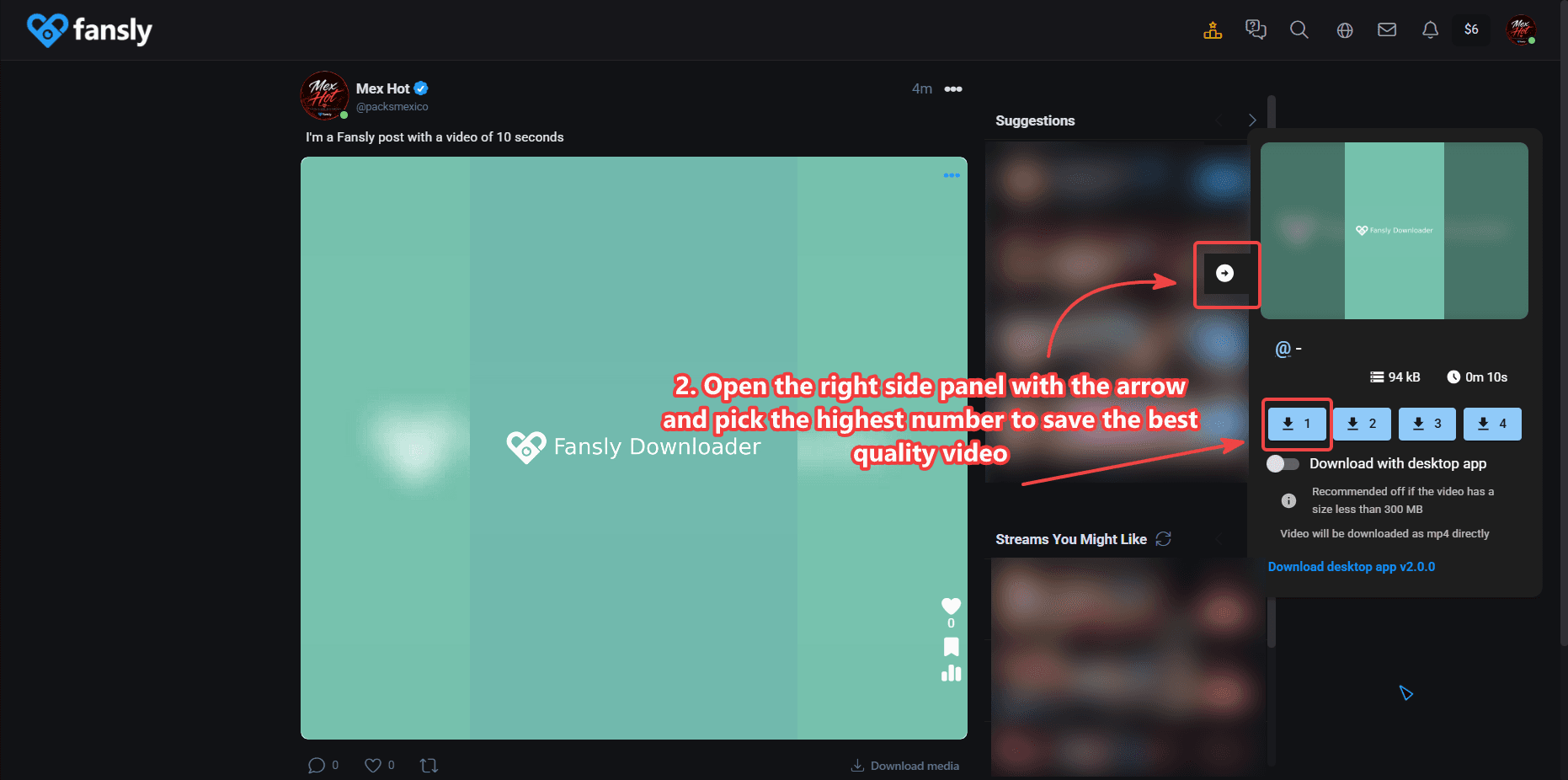
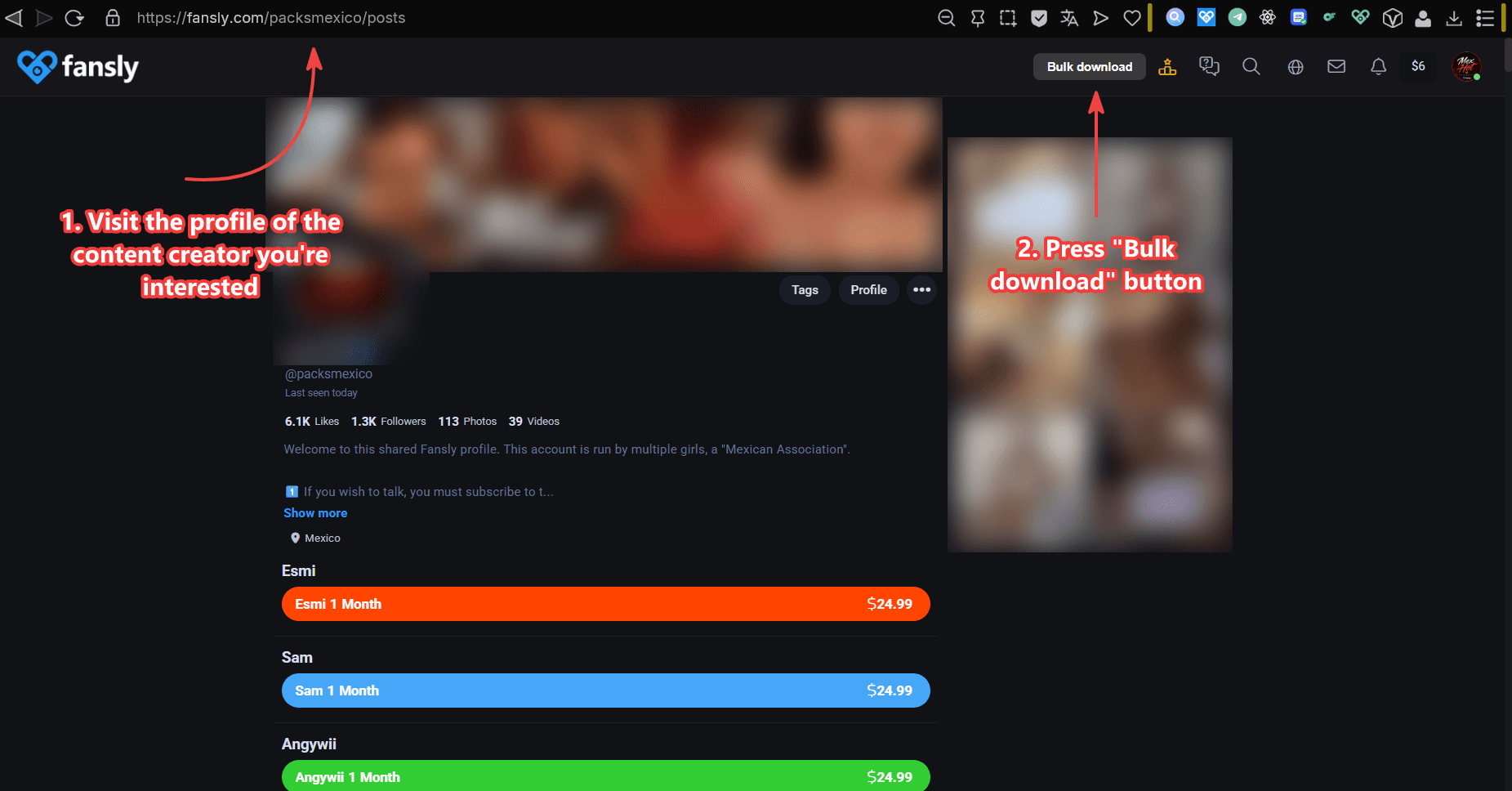
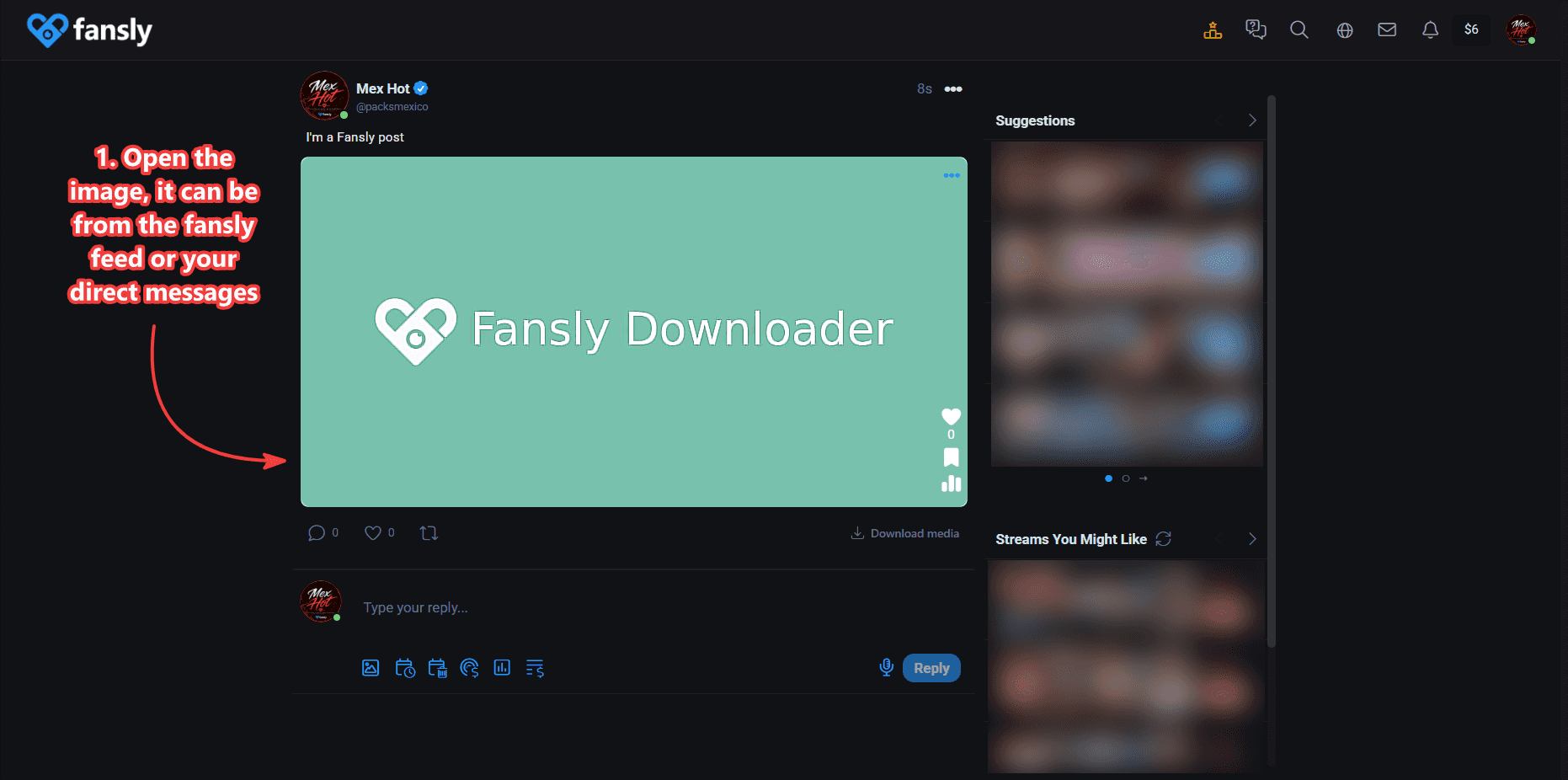
Search results for “Fansly Downloader” are often GitHub repos whose project name is that exact phrase. Those tools are usually Python command-line scrapers. This page is the Chrome Web Store extension from programmer51. Both can back up media you can already view. They are not the same install and not the same workflow.
| Topic | This Chrome extension | Typical GitHub CLI |
|---|---|---|
| Install | Chrome Web Store, no Python | Clone a repo, Python, terminal |
| Where you work | On the Fansly page in Chrome | Scripts and config files |
| Posts | Yes, including Download media | Usually profile or timeline jobs |
| Messages | Yes, photos and videos in DMs | Often limited or extra setup |
| Photos | Single photo or whole post | Depends on the script |
| 4K | Side panel picker when the file allows it | Depends on flags and the source file |
| Whole profile | Bulk UI on the 3-month plan | Batch flags in a terminal |
| Large files | Optional Windows desktop companion | Runs on your machine already |
| Paywall bypass | No | Should be no if used as intended |
If you want a visible quality list, message downloads, and a store install, use this extension. If you already live in a terminal and want a script you maintain yourself, a GitHub CLI may fit you better. This site does not host those repos. “Best Fansly downloader” depends on that choice: Chrome and photos versus a script you already run. programmer51 is the Chrome Web Store product with a public support path on this domain, not an anonymous GitHub username.
The same extension covers the two places people actually keep media. On a feed post you can play a video and pick quality, or press Download media to take every photo and video attached to that post. In direct messages you open the photo or play the video and save that file. You do not export a chat archive and you do not paste a message link into another site.
Quality for video is chosen in the right-hand panel after you play the file. The highest number is the best available copy. Photos save the image on screen. Step-by-step shots live in How to Download Fansly Videos (Posts & Messages) and How to Download Fansly Photos.
If you need a whole creator library instead of one post, open the profile and use Fansly Bulk Downloader — Whole Creator Profile. Bulk is a different screen: it lists posts on that profile, lets you pick folders, and can use Cloud, the browser, or the desktop app.
4K is not a magic unlock. The extension can only offer 4K when the file you are allowed to view already has that rendition. Open the side panel and pick the top option when it is listed. If the creator uploaded 1080p, the picker stops at 1080p.
Very large videos can exhaust Chrome memory while they process. On Windows you can hand those jobs to the desktop companion so the tab stays usable. In bulk settings, the desktop method is the one that lets you choose 1080p or 4K. Cloud is the stable option across operating systems. The in-browser bulk method is faster and capped at 720p. Details are in Download Videos in 4K.
This is a backup tool for media your Fansly account can already view: free posts, previews, purchases, or an active subscription. It does not unlock paid posts, share other people’s libraries, or work from a link if you cannot open the media in Chrome.
Searches about cracks, leaks, or downloading “without paying” are not what this product does. If you cannot play the video or open the photo while signed in, the extension cannot save it.
It is for people who want local copies of Fansly photos and videos they can already watch. Typical uses: a large library you do not want to lose, offline viewing, or folders you control. It is also for anyone who searched for a Chrome extension and does not want to maintain a Python environment. Creators who need scheduling, FYP clips, or chat automation should look at Fansly Manager instead — that is a different product.
Save Fansly photos and Fansly videos from posts and messages. Pick quality in the side panel, including 4K when it exists. Use bulk download on a creator profile to select many files and organize folders. Activate a license in extension options after Ko-fi. Optional Telegram notifications forward Fansly email alerts to your chat. The Windows companion is only for large videos that would strain the browser.
It is a Chrome browser extension for downloading and backing up Fansly videos and photos you already have access to through your account. See Fansly Downloader.
No. It is a Chrome extension, not a website where you paste a URL. You install it, open Fansly in Chrome while signed in, and save media from the post or message you can already view. See How to Install Fansly Downloader on Chrome.
Yes. Open the quality panel on a video and choose the highest option when 4K is available. For large files, the Windows desktop companion app is recommended so the browser does not run out of memory. See Download Videos in 4K.
Yes. Open a photo from the feed or from direct messages and use the Download button. You can also use Download media on a post to save the photos and videos in that post. See How to Download Fansly Photos.
No. This product is a Chrome extension from the Chrome Web Store. You do not install Python, clone a repo, or run a CLI. GitHub projects named Fansly Downloader are separate tools. See Fansly Downloader.
No. It only saves media your account can already open. It is a backup tool, not a paywall bypass, crack, or unlocker. See Fansly Downloader.
More answers: Fansly Downloader FAQ — 4K, Chrome, License.
This page was last checked against the live Chrome extension on . Version v1.19.0 is the build named in the listing at that check.
There is no recurring payment to cancel. Licenses are one-time purchases. When a license expires, buy another one if you want to continue. Full license steps are in How to Activate Your License.
* More details and visual guides are in the Telegram group, the About / contact page, and the purchase email.