Download Fansly Videos in 4K
Choose the highest quality when 4K is available
Last verified 22 August 2026
4K in Fansly Downloader means “save the 4K rendition if Fansly already has one for a video you can play.” It does not mean the extension upgrades a smaller file. If the creator uploaded 1080p, the side panel will not invent 2160p.
This is still the Chrome extension, not a GitHub CLI and not a website where you paste a link. Play the video on Fansly, open the quality list, and pick the top option when 4K is there. The full single-video path, including messages, is How to Download Fansly Videos (Posts & Messages).
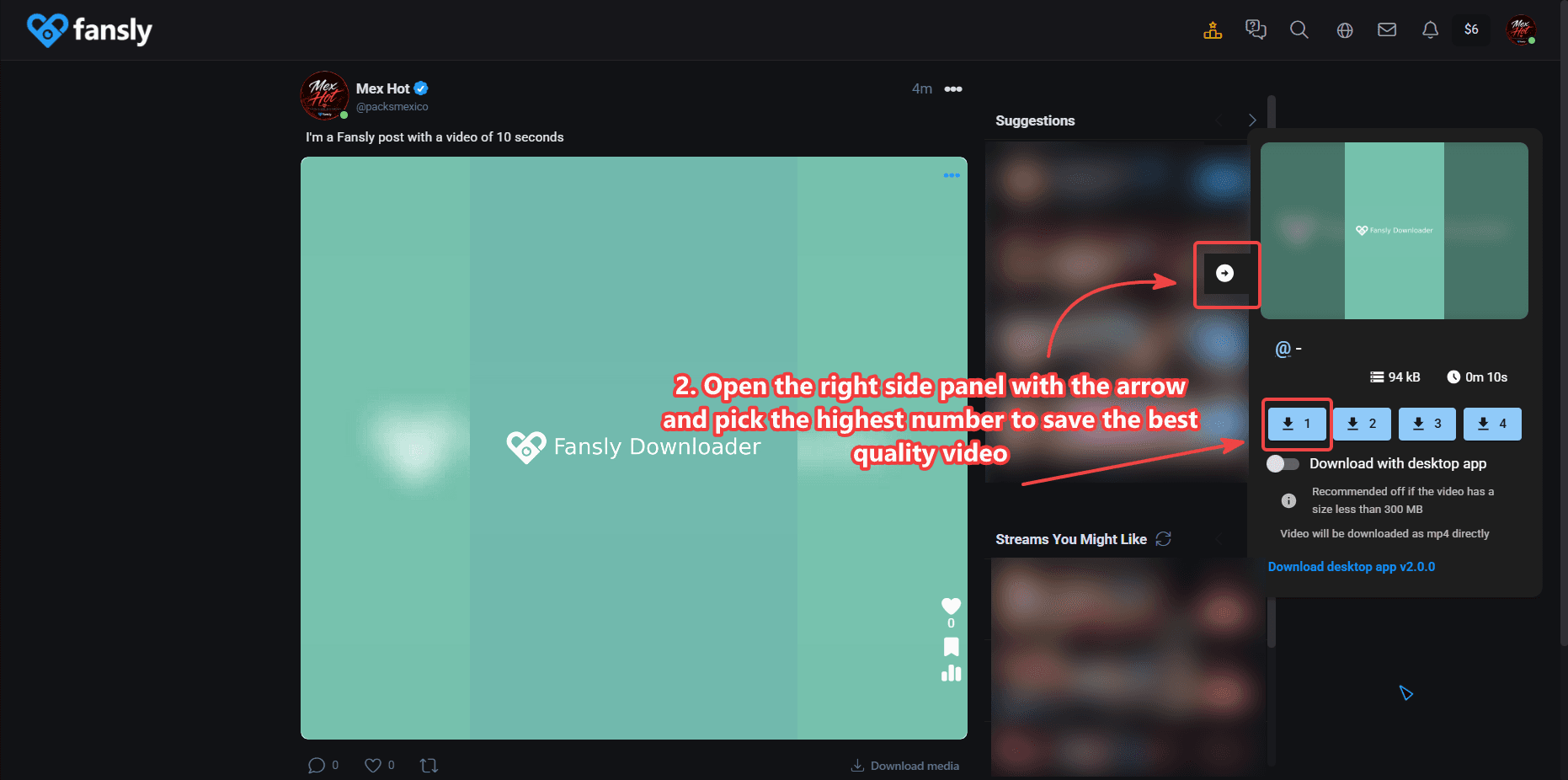
Pick 4K in the side panel
Start playback first. The panel lists the sizes available to your session. Choose the highest number when you want the best backup. Processing takes longer and the file is larger. Stay on the tab until the save finishes.
When Chrome runs out of memory
Long 4K files can exhaust a browser tab. If the page greys out, the download bar stalls, or Chrome says the tab crashed, that is a memory problem, not a missing 4K flag. On Windows, use the desktop companion so the heavy work happens outside Chrome. You can still download from the extension alone on smaller files.
The companion does not bypass access rules. It only finishes a file you were already allowed to view. macOS and Linux users should prefer Cloud in bulk settings, or save one video at a time at a lower quality if a single tab cannot hold the file.
4K inside bulk download
Profile-wide jobs have three methods. The desktop app method is the one that lets you choose 1080p or 4K. Cloud is the stable option across operating systems. The in-browser method is limited to 720p — do not expect 4K from that path. See Fansly Bulk Downloader — Whole Creator Profile for the button, the loading tab, and folder settings.
If you only need stills, skip this page and use How to Download Fansly Photos. Photos do not use the 4K list.
Posts, messages, and one-file jobs
The quality panel works the same on a feed post and on a video in messages. Play the file, open the list, pick 4K when it exists. If you used Download media on a mixed post, stills save as photos and the video still follows this quality choice when you take it from the player. A profile-wide 4K run belongs in bulk with the desktop method, not in a loop of thirty open tabs.
People who searched “best fansly downloader” and landed on a GitHub README are looking at a different stack. This 4K path is the Chrome side panel plus, on Windows, the companion for files that crash a tab. No Python virtualenv.
What 4K is not
It is not a paywall bypass. It is not a guarantee that every Fansly video has an Ultra HD copy. It is not an “online 4K downloader” that accepts a URL on this site. And it is not the same as running a Python project from GitHub that happens to mention 4K in its README.
License questions: activate your license. Install: How to Install Fansly Downloader on Chrome.
How to tell if 4K is really there
The side panel is the source of truth, not the creator’s caption and not a third-party “4K downloader” site. If the list tops out at 1080 or 720, saving again will not add pixels. Some posts look sharp on a phone and still have no 4K rendition. That is an upload choice, not an extension bug.
After a successful 4K save, check the file properties on disk. A tiny file that finishes in one second was not 4K. If the size looks right but the player on your PC shows 1080, try a player that reads the real resolution (VLC is enough). Windows “Photos” sometimes lies.
Network hiccups during a long 4K process can leave an incomplete file. Delete that file and run the panel again. Do not keep a half write as your archive. For profile jobs, prefer Cloud or the desktop method instead of starting twenty 4K tabs by hand.
This page is the 4K note for people who searched “fansly video downloader” and care about quality. The Chrome-extension story, the access rule, and the GitHub comparison stay on the main Fansly Downloader page.