Sync with Telegram
Optional Telegram alerts from Fansly notification emails
Last verified 22 August 2026
You can link Telegram so a bot can send Fansly notifications with more detail than the original email. This uses two things: a Telegram login (so the bot knows where to send messages) and Gmail forwarding of emails from no-reply@fansly.com (so the bot can read those notification emails). You do not need to share your Fansly password.
This is optional. The Chrome extension still saves photos and videos without Telegram. Use this only if you want alerts in chat. It is not a second downloader and it does not unlock posts. License and install stay on their own guides: How to Install Fansly Downloader on Chrome and How to Activate Your License.
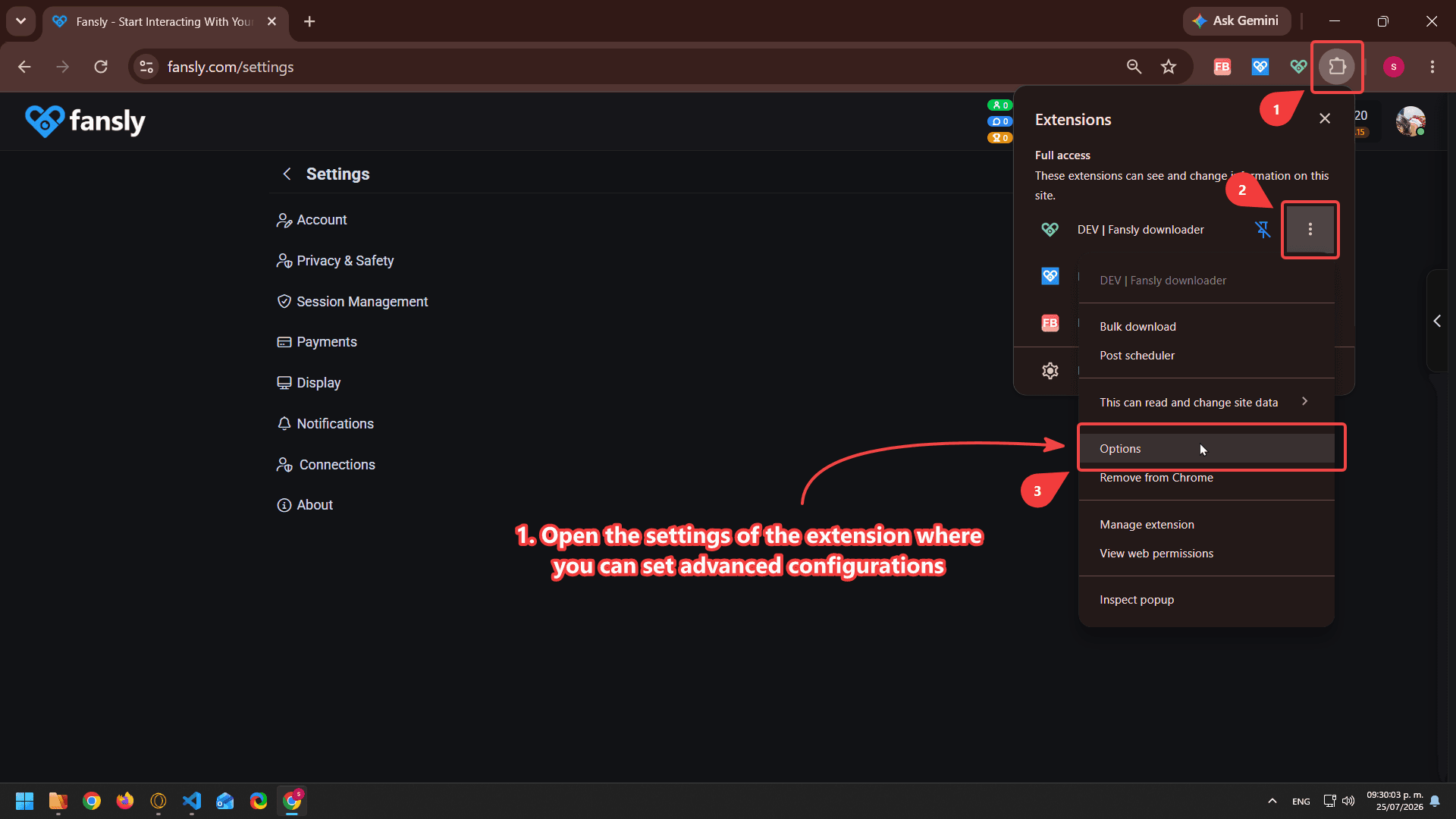
- Open the extension options and press the Telegram button to link your account
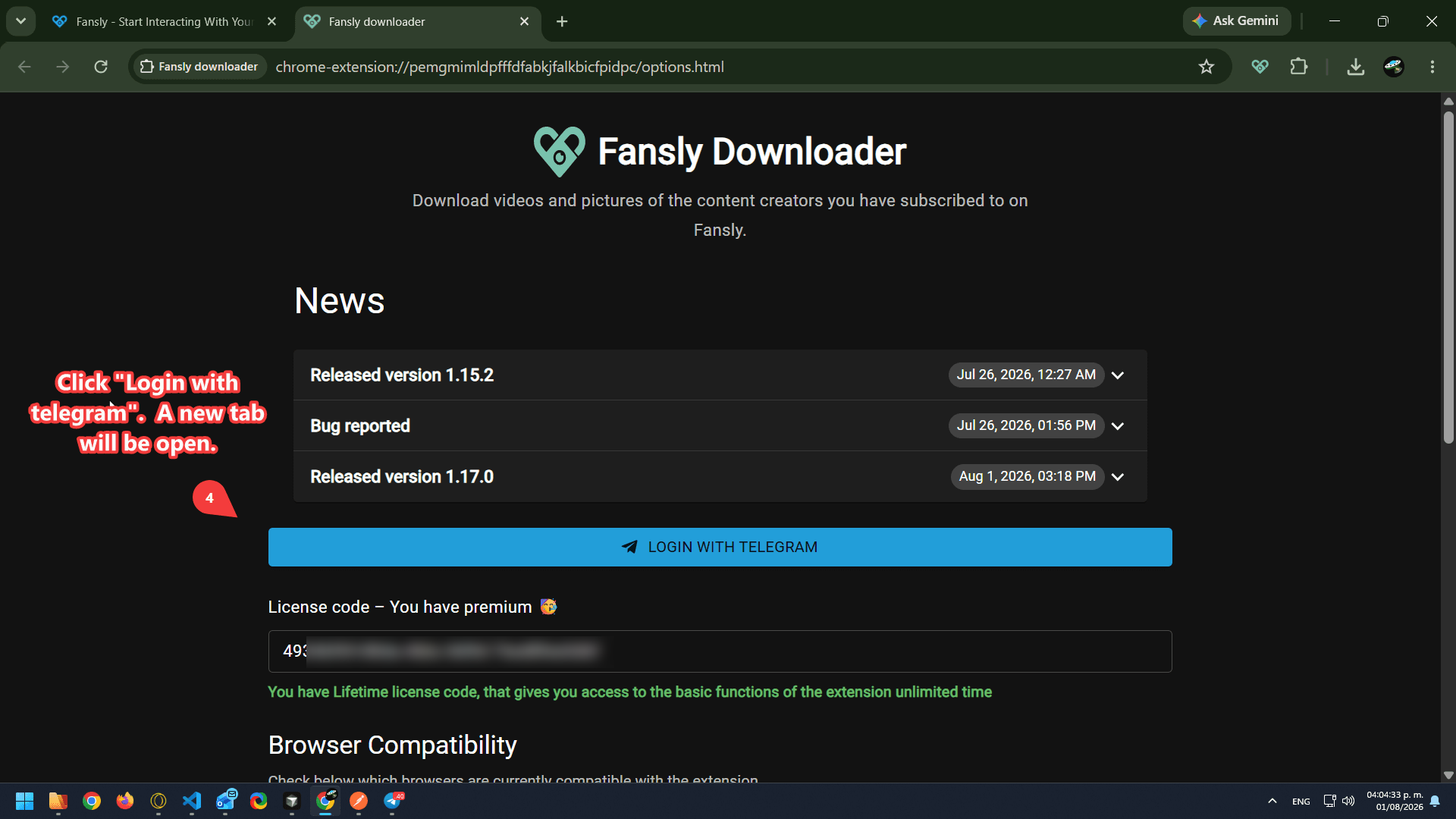
- Click Login with Telegram. A new tab opens so you can authorize the extension with your Telegram account. If you are not logged in, you will be asked to sign in
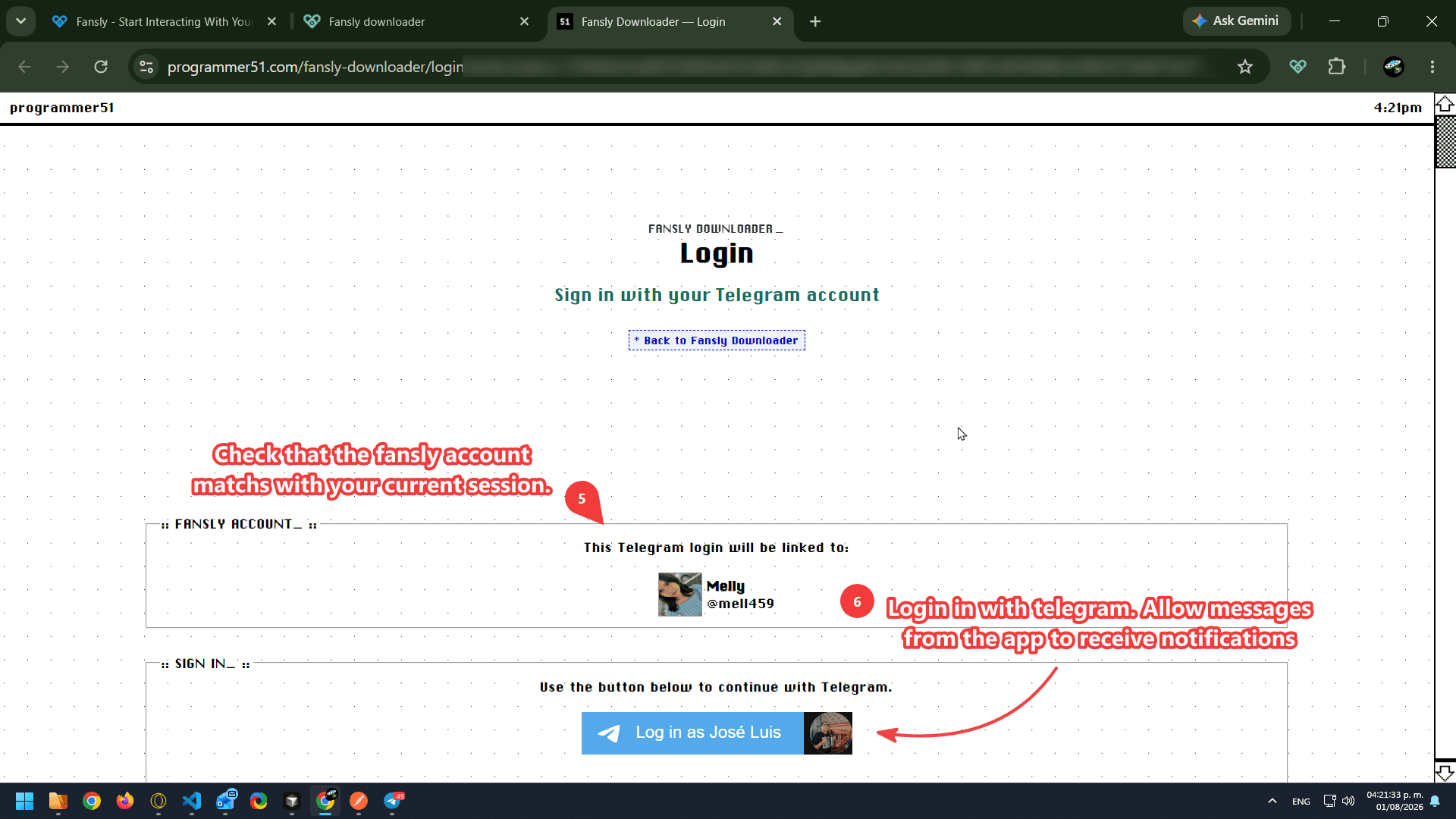
- Check that the Fansly account shown is the one you want to link. If it is, click Login
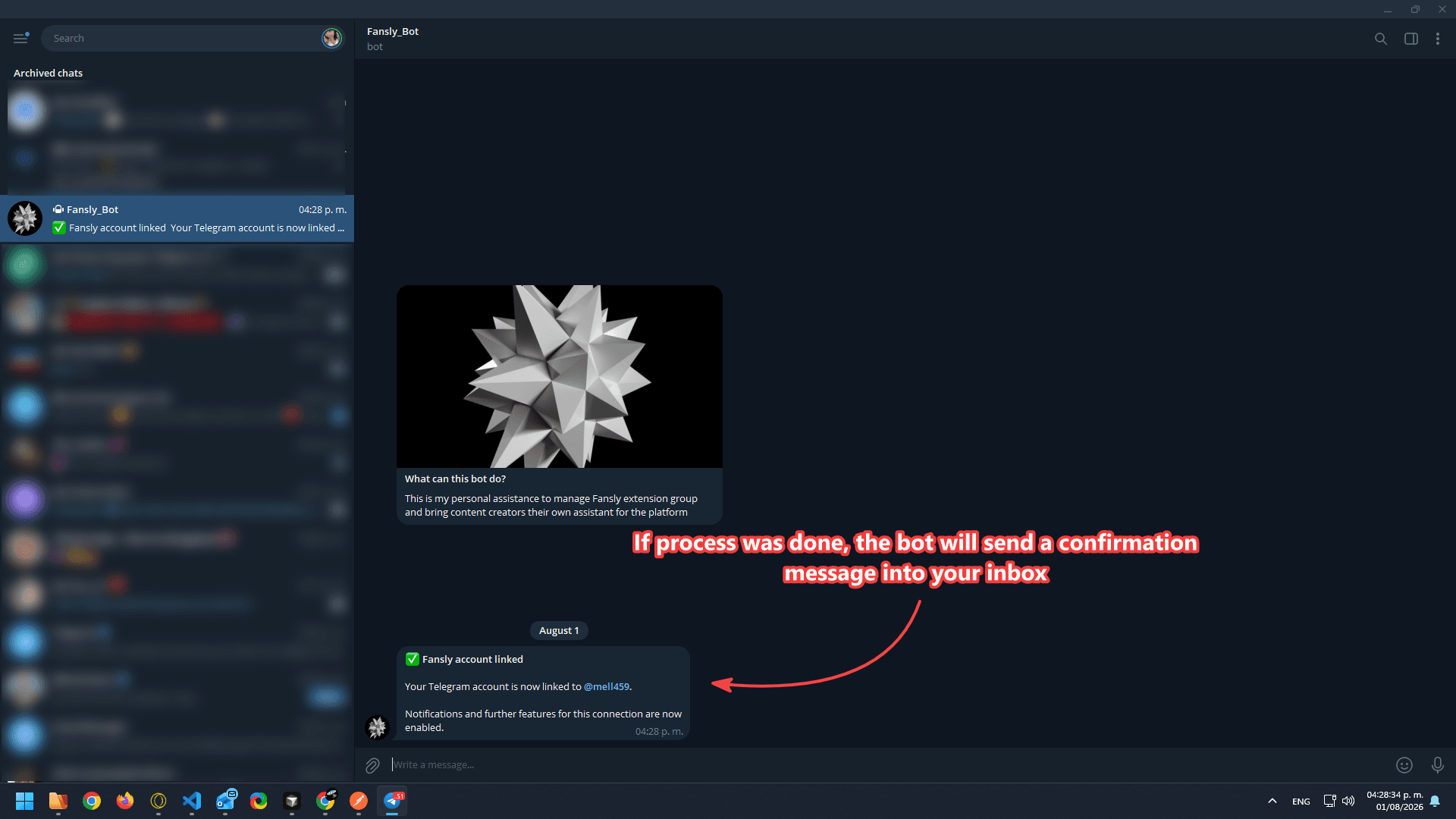
- When the link succeeds, the bot sends a confirmation message to your Telegram inbox
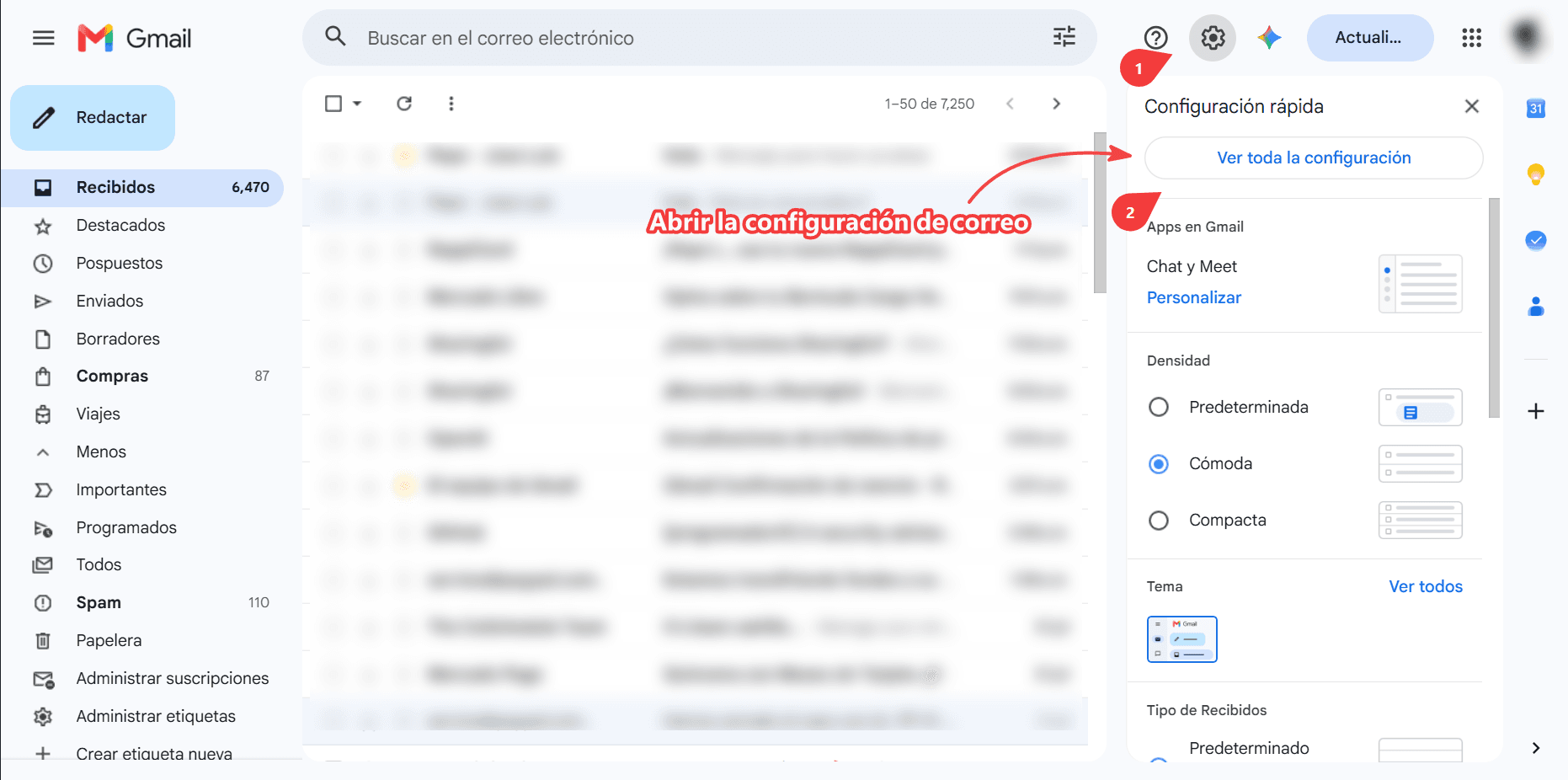
- To receive notifications, forward Fansly's notification emails to the bot. Open your Gmail settings
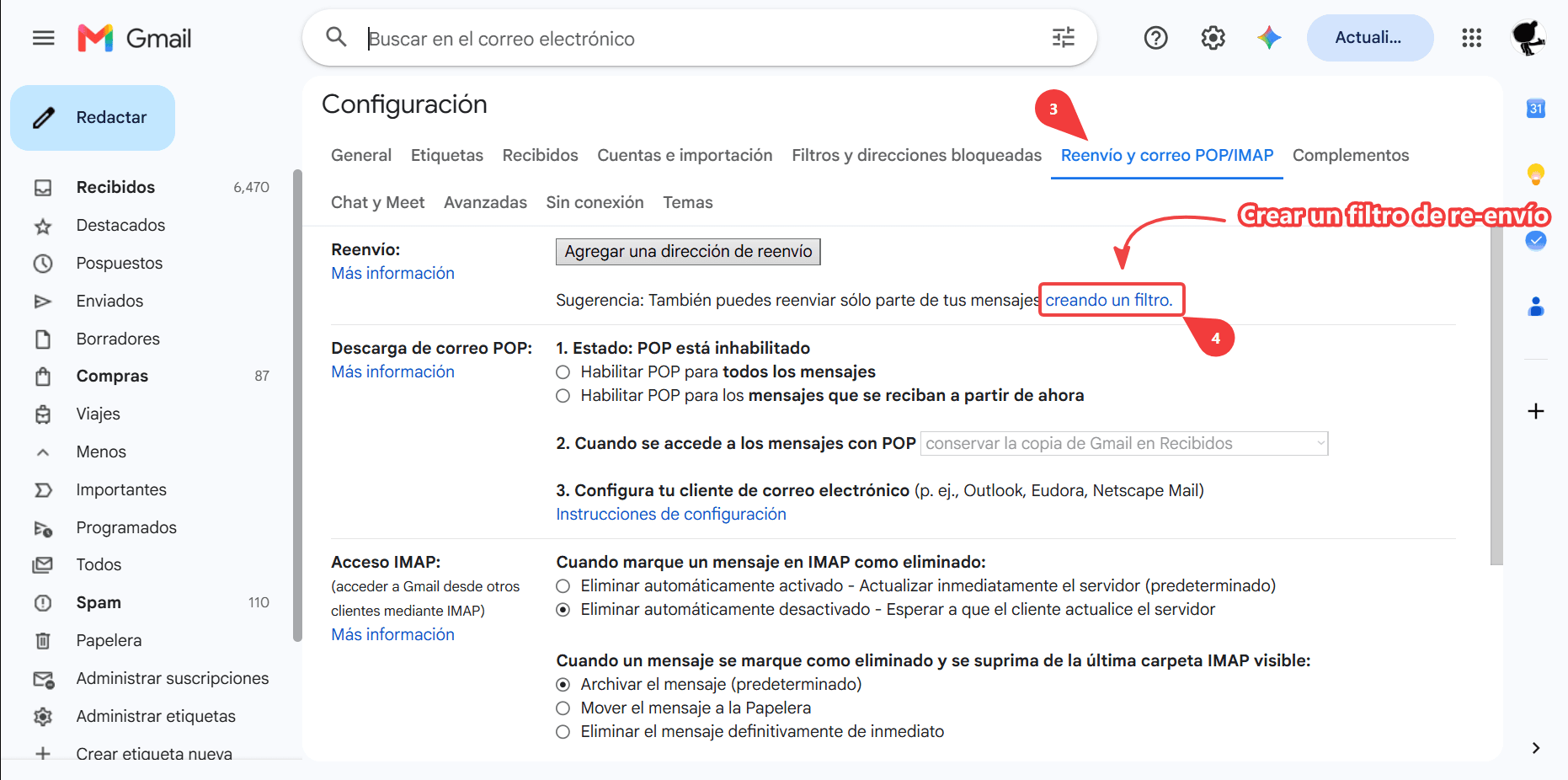
- Go to the Forwarding and POP/IMAP tab and create a forwarding filter
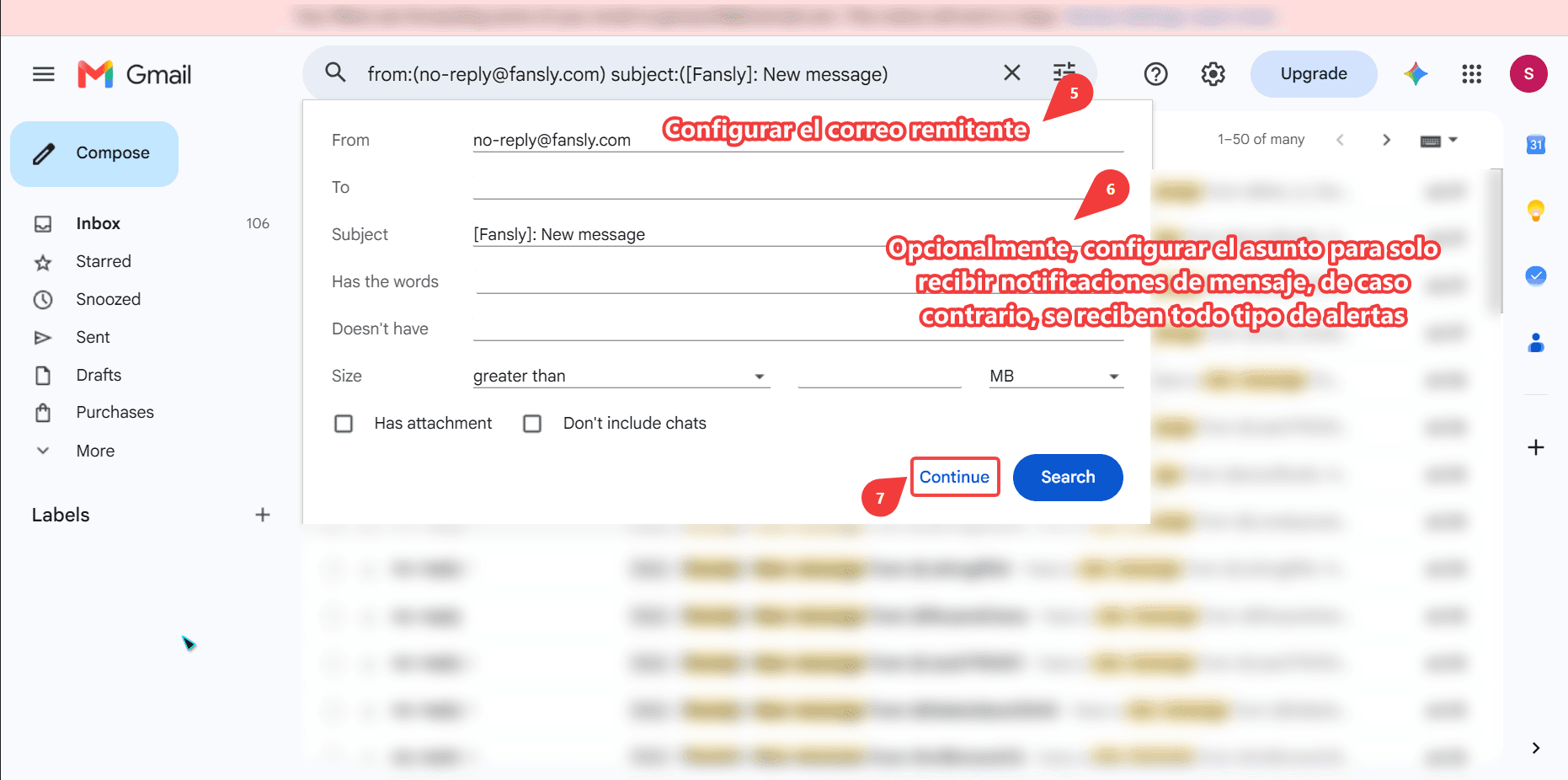
- In the From field, enter no-reply@fansly.com. The other fields can be left empty unless you want to limit which notifications are forwarded
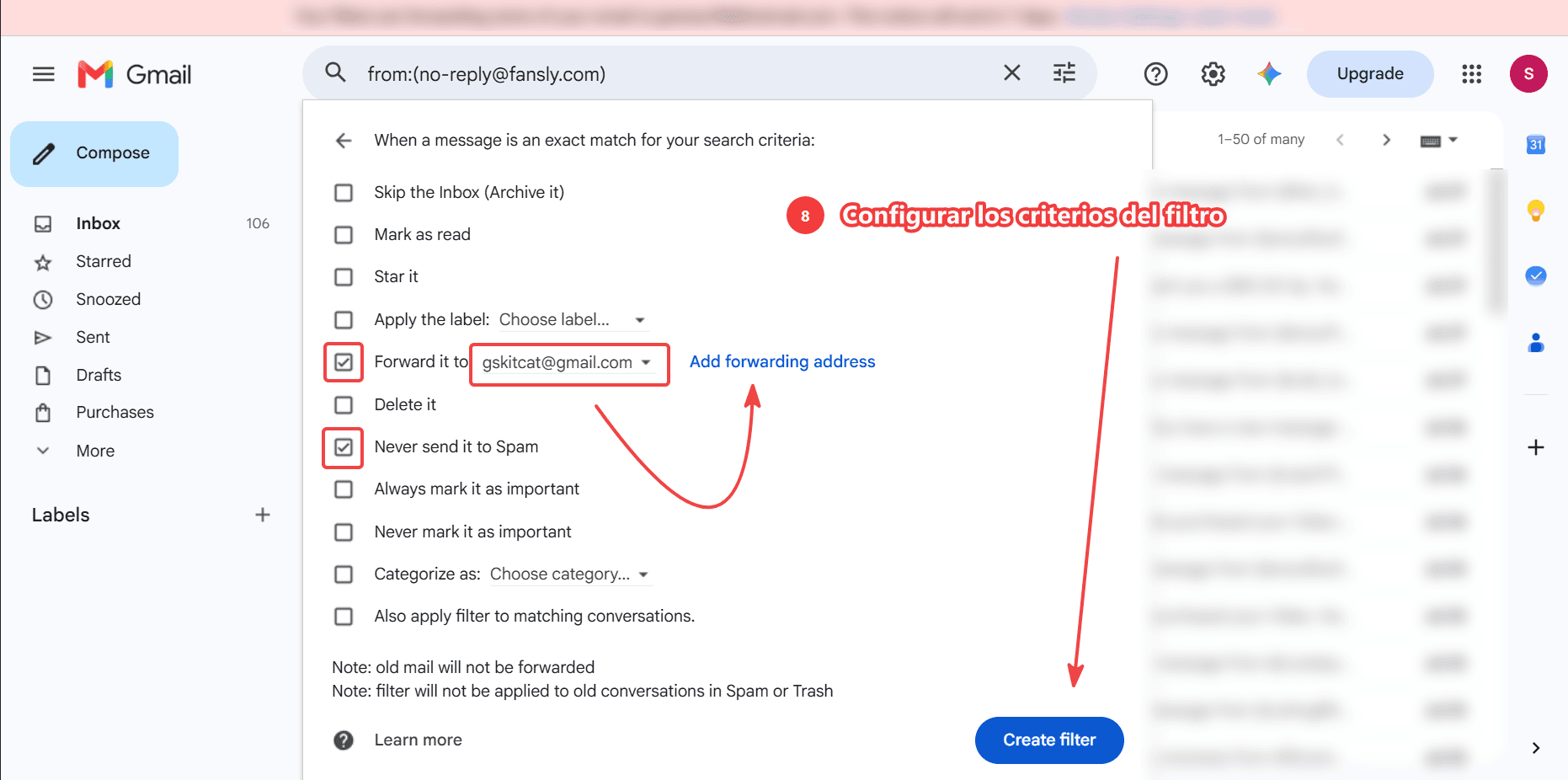
- On the next screen, forward matching emails to gskitcat(at)gmail(dot)com, using the same fields shown in the screenshot. If that address is not listed, use Add forwarding address, accept the invitation, and then finish the filter so the bot can notify you
- After that, the bot can send Telegram notifications with more detail than the emails. To choose which Fansly alerts you receive, update your preferences at fansly.com/settings/notifications
If you only wanted video or photo backup, you can skip this entire page. Telegram here is mail-to-chat, not a second downloader. Password questions belong on the FAQ.