How to Download Fansly Photos
Save photos from the feed or from direct messages
Last verified 22 August 2026
Fansly Downloader can save still images, not only video. This page is the photo workflow for the Chrome extension: one picture you have opened, or every photo (and video) attached to a post. It works on the feed and in direct messages. You need to be able to see the image while signed in. Locked or unpaid media will not download.
Photos are a separate search cluster from “fansly video downloader.” If you only want stills, you do not need the quality panel used for video. You also do not need the Windows companion unless a mixed post includes a huge video you plan to grab with Download media.
Feed posts and messages
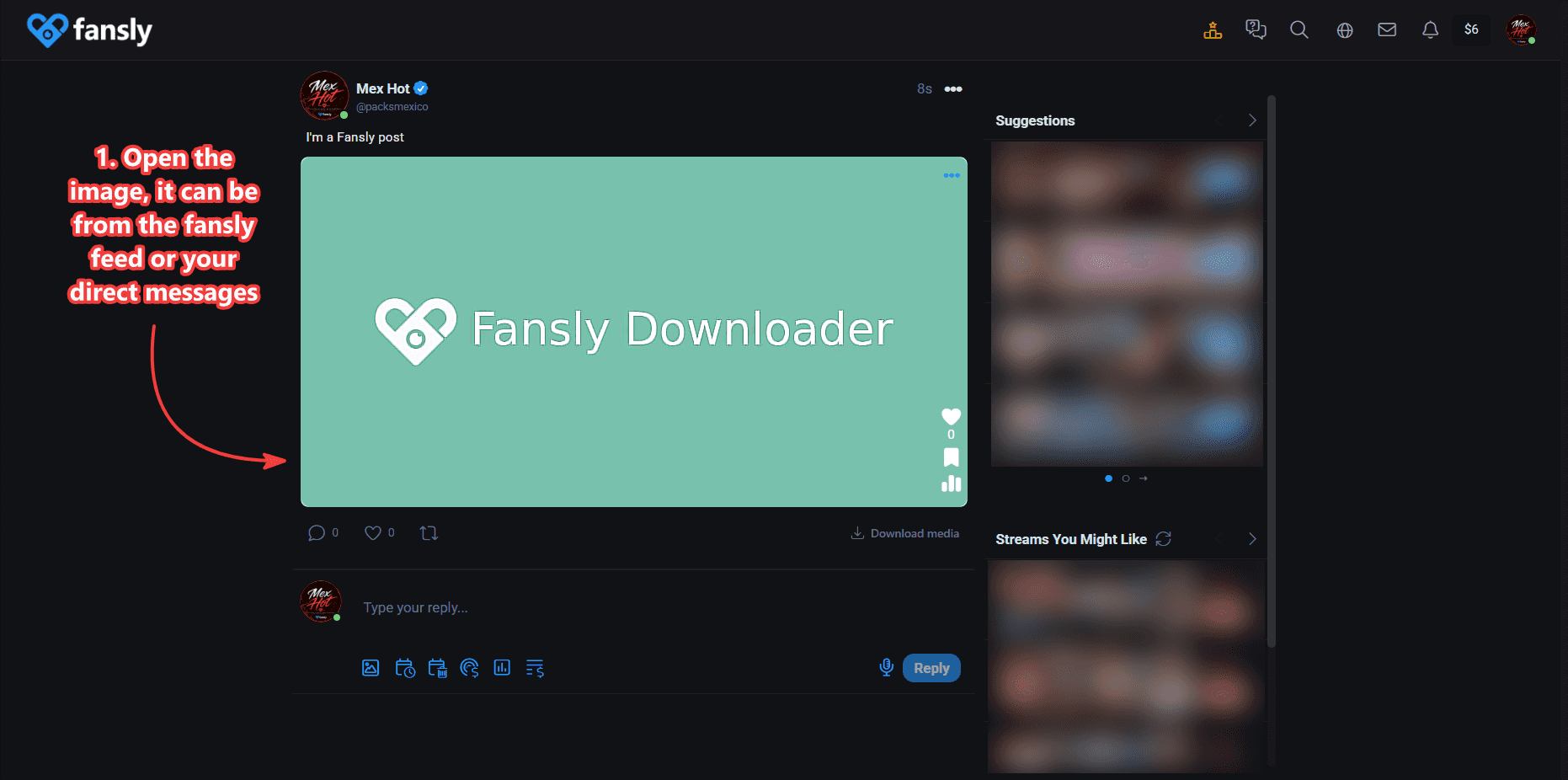
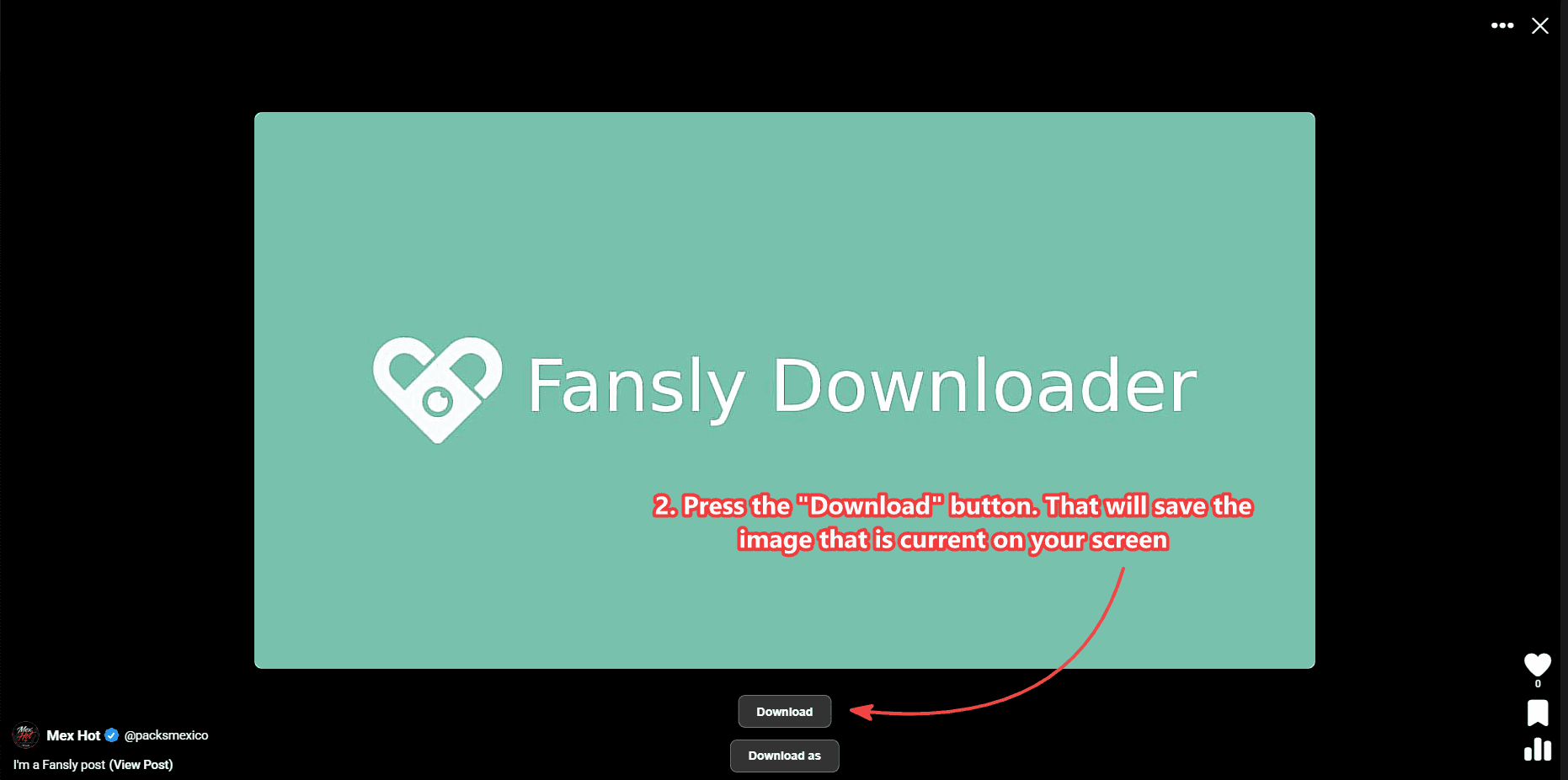
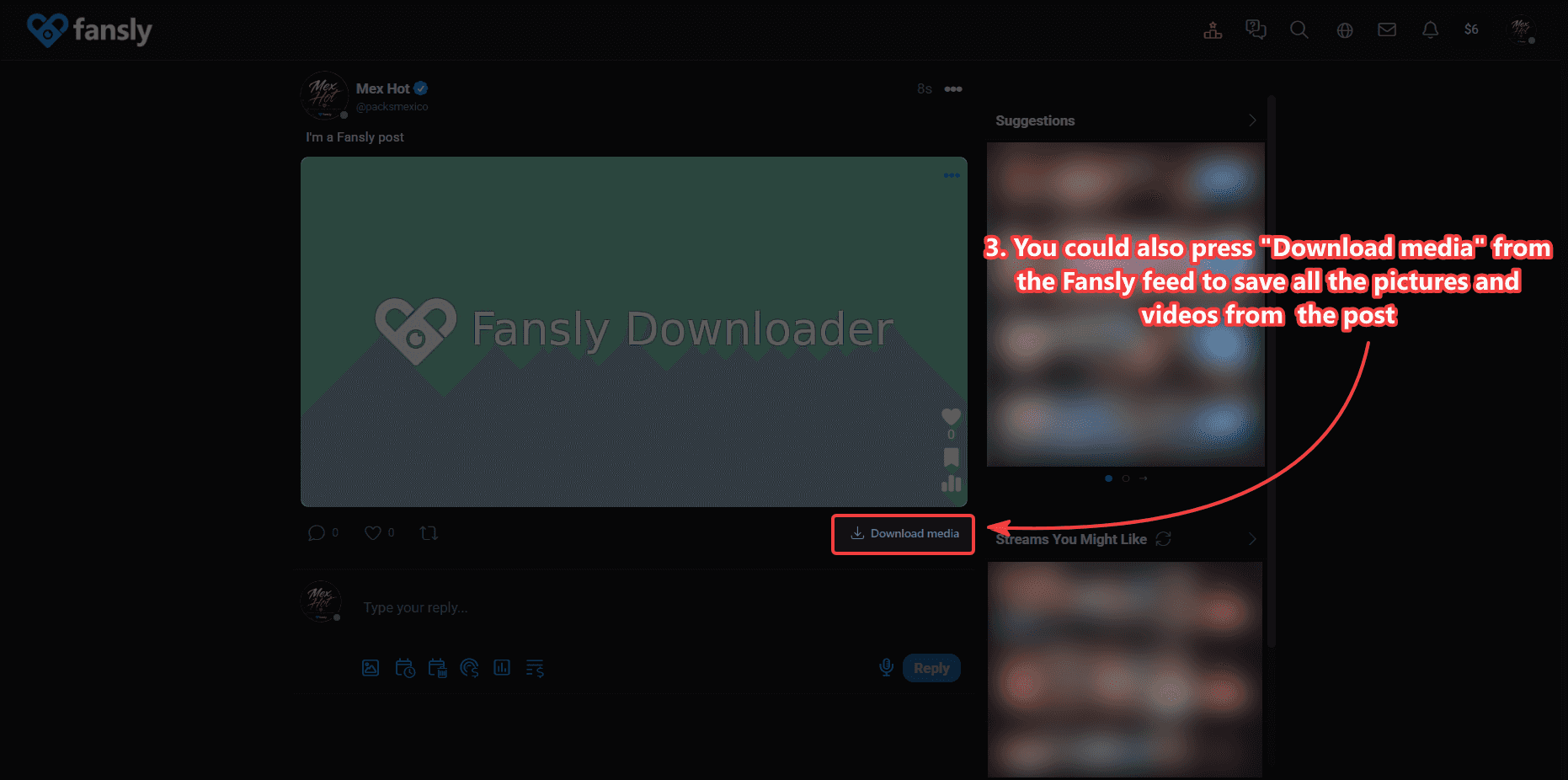
On the feed, open the image so it fills the viewer, then use Download. That saves the picture on screen. If the post is a set, Download media on the post is faster than opening each slide. In messages, open the photo in the thread the same way you would to look at it, then use Download. The extension does not scrape a chat you have not opened.
For a whole creator grid of posts, photos and videos together, use bulk download on the profile (3-month plan). That tool is built for many posts, not for a single DM picture.
Save a photo
- Open the image. It can be from the Fansly feed or from your direct messages. Wait until it finishes loading. A blurry placeholder is not the file you want to keep.
- Press the Download button. That saves the image currently on your screen to Chrome’s download location.
- You can also press Download media from the feed to save all photos and videos in that post. For videos and the quality panel, see How to Download Fansly Videos (Posts & Messages).
What you get on disk
The saved file is the image your session is allowed to display. The extension does not invent a higher-resolution original than Fansly served. If you need tidy folders for hundreds of posts, set folder organization in bulk download rather than renaming one file at a time in Downloads.
Mixed posts (photos plus a video) are easier with Download media than with three separate clicks. If the video is 4K and enormous, finish the stills here and handle the video with the 4K / desktop companion steps.
If Download does not appear
Confirm the Chrome extension is installed and enabled on this profile. Reload the Fansly tab after install. Confirm the image is actually unlocked for your account. If you only see Fansly’s own interface, you are either on mobile Chrome (this product is for desktop Chrome) or the extension is off.
The extension never asks for your Fansly password. Photo backup is a button on media you can already open. For license questions, see activate your license or the Fansly Downloader FAQ — 4K, Chrome, License.
If you came from “fansly downloader chrome extension” and only needed stills, you are in the right place. Video quality and 4K live on the other guides. This page is only the image path: open, download, or take the whole post with Download media.
Carousels, stories-style sets, and repeats
If a post is a swipe set, open each image you care about or use Download media once for the post. Downloading the same open slide twice gives you two files. That is normal. In messages, a creator may send the same still more than once; the extension saves what is on screen each time. It does not de-duplicate your Downloads folder.
Live photos or short motion stills are handled as whatever Fansly shows in the viewer — a still or a short video. If the viewer plays motion, treat it as a video and use the video guide. If it is a frozen frame, stay on this page.
Saving a screenshot with the Windows snipping tool is not the same as Download. The extension button is the copy Fansly served to your session. A screen grab is whatever pixels fit your monitor and may include UI chrome. Use Download when you want a clean file.
Creators who post only photos still need the same access rule: if the media is locked, pay or subscribe on Fansly first. The Chrome extension will not fill in a grey placeholder. For a full photo-heavy profile, bulk download on the 3-month plan is faster than opening two hundred posts by hand.